Reconciliation Periods
This guide explains how to start a reconciliation period, how to read the Reconciliation Report, how to complete a period, and how to reopen it.
Overview
A reconciliation period covers the bank transactions up to the end date of a statement. It holds the ending balance that the bank printed on the statement. When every transaction of the period is reconciled or excluded and the balances agree, you mark the period as completed. A completed period locks its transactions, so the work stays as you checked it.
A period can be a month, a week, or any other range. The first period of a bank starts at its start date. Each next period starts the day after the previous end date.
Starting a period
A period can start in two ways:
- In the Statements tab, open the row menu of a completed file and click New Reconciliation Period from Statement. The end date comes from the last line of the file.
- In the Reconciliation Periods tab, click New Reconciliation Period.
- Check the Period End Date.
- Type the Period Ending Balance, as printed on the statement.
- Click Save. The period has the status In Progress.
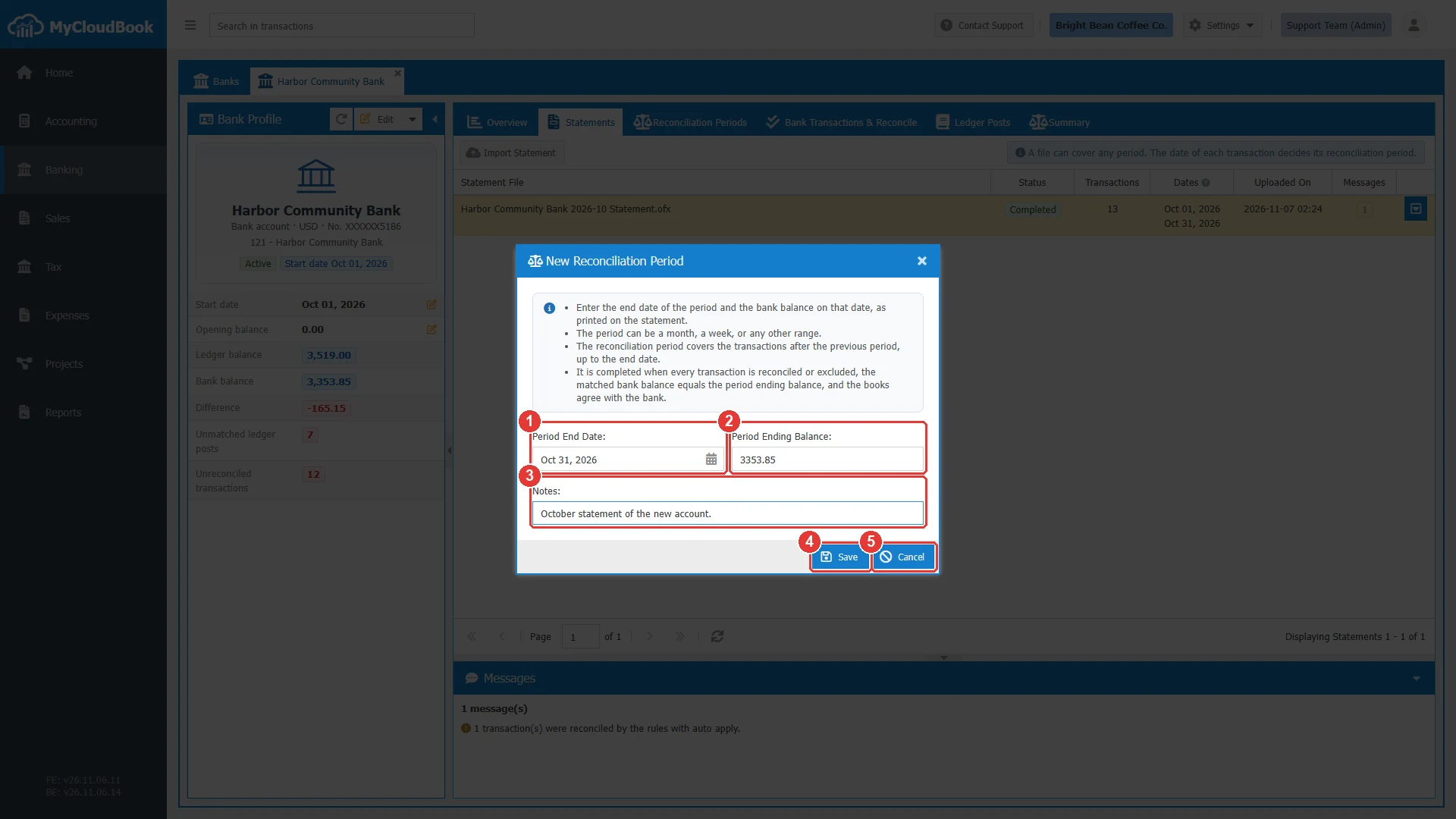
- 1Period End Date.
- 2Period Ending Balance.
- 3Notes. Optional.
- 4Save.
- 5Cancel.
| Field | Required | Purpose and rules |
|---|---|---|
| Period End Date | Required | After the end of the latest completed period, not before the start date of the bank, and different from the end date of every other period. |
| Period Ending Balance | Required | The balance on the statement. For a credit card, the money that is owed is a negative number. |
| Notes | Optional | Up to 1000 characters. The report shows the notes. |
The list of the periods
- In the left navigation, click Banking.
- In the Banks tab, double click the bank. The bank profile opens in its own tab, named after the bank.
- Click the inner tab Reconciliation Periods.
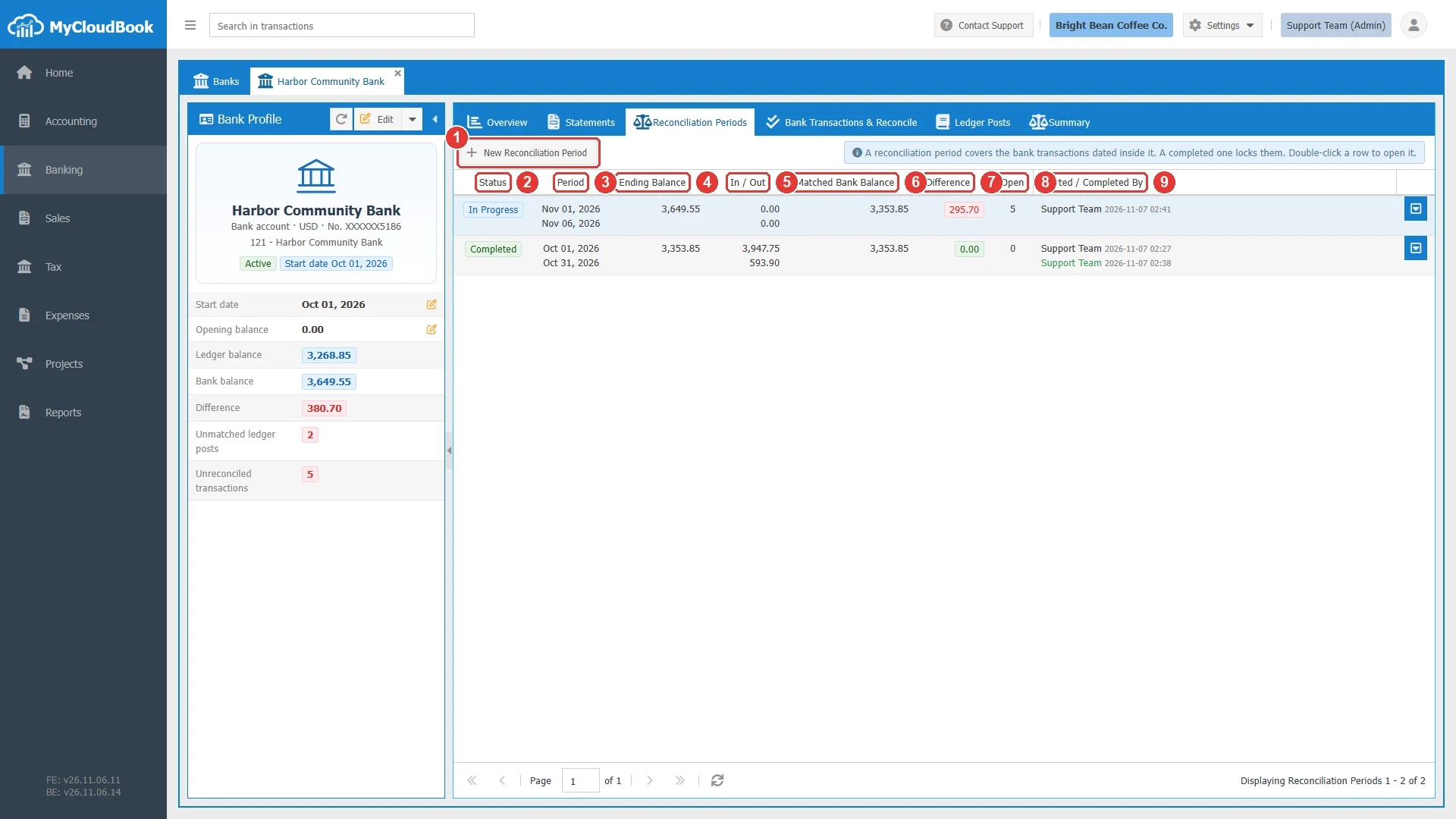
- 1New Reconciliation Period.
- 2Status. In Progress or Completed.
- 3Period. The first day and the end date.
- 4Ending Balance. The balance of the statement.
- 5In / Out. The reconciled money in and money out.
- 6Matched Bank Balance. The balance that the reconciled lines explain.
- 7Difference. Green at zero, and red otherwise.
- 8Open. The unreconciled lines of the period.
- 9Started / Completed By. The user and the time.
A double click on a period in progress opens its lines. A double click on a completed period opens its report.
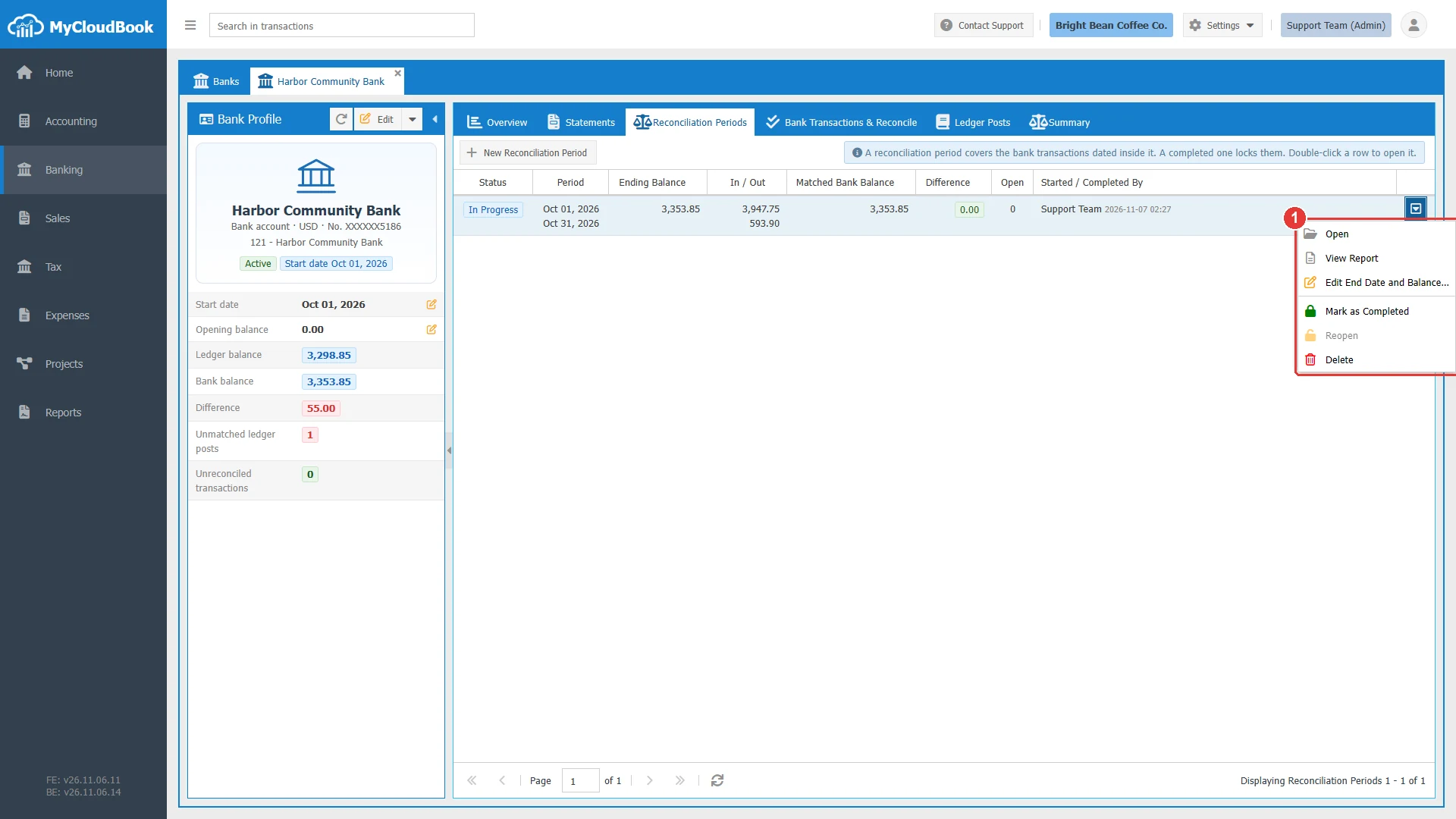
- 1The menu of the row.
| Item | What it does |
|---|---|
| Open | Opens the Bank Transactions & Reconcile tab on the period. |
| View Report | Opens the Reconciliation Report. It works before the completion too. |
| Edit End Date and Balance… | Changes a period in progress. |
| Mark as Completed | Completes the period when it is ready. |
| Reopen | Reopens the latest completed period. |
| Delete | Deletes a period in progress. The statement files and the transactions stay. |
The Reconciliation Report
The report shows the result of the period. Open it with View Report. It works as a check before you complete the period.
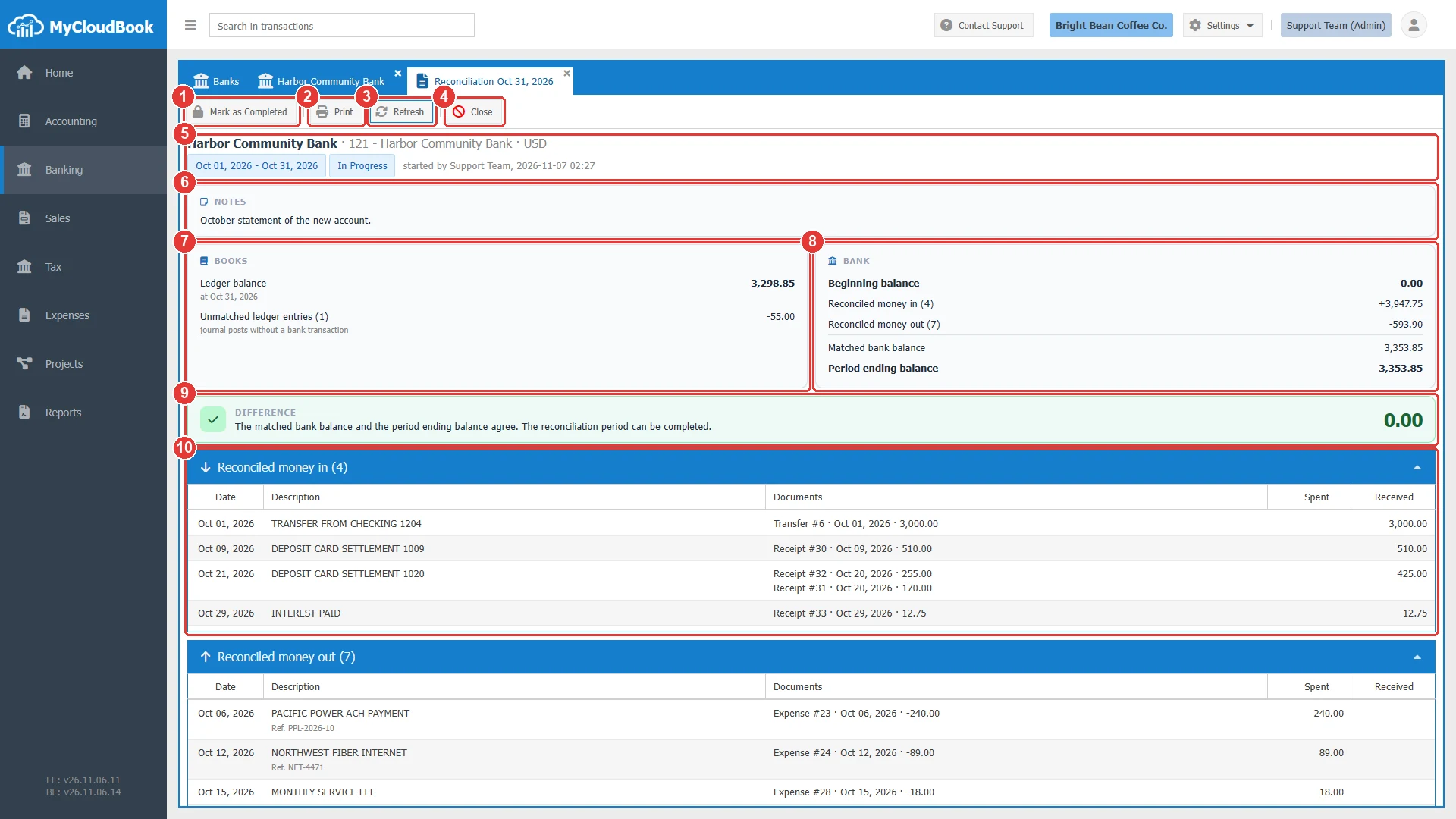
- 1Mark as Completed.
- 2Print. Opens a page for the printer.
- 3Refresh.
- 4Close.
- 5The bank, the period, and the status.
- 6NOTES. The notes of the period.
- 7BOOKS. The ledger balance on the end date and the unmatched ledger entries.
- 8BANK. The beginning balance, the reconciled money, and the ending balance.
- 9DIFFERENCE. The band and its note.
- 10Reconciled money in. The lines and their documents. A click on the title hides the list.
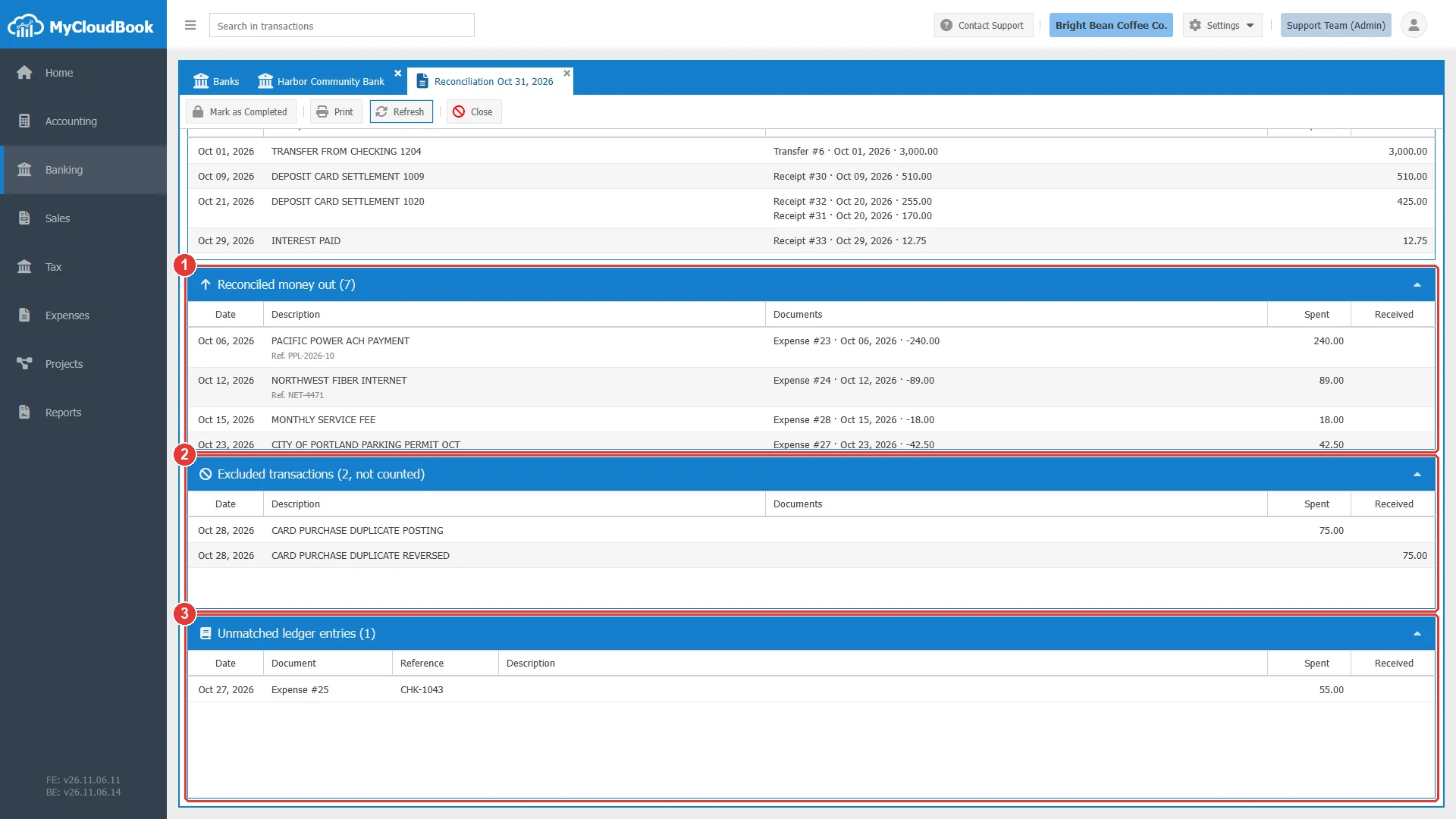
- 1Reconciled money out.
- 2Excluded transactions. They are not counted.
- 3Unmatched ledger entries. Here a check that the bank has not paid yet.
The figures of the report
| Figure | What it means |
|---|---|
| Beginning balance | The ending balance of the previous period, or the opening balance of the bank. |
| Reconciled money in and out | The lines of the period that are matched with the books. |
| Matched bank balance | The balance that the reconciled lines explain. |
| Period ending balance | The balance on the statement, as you typed it. |
| Difference | The gap between the two balances above. It must be 0.00. |
| Ledger balance | The balance of the account in the books on the end date. |
| Unmatched ledger entries | Entries in the books that the bank has not shown yet, for example a check that is not cashed. |
In the example, the beginning balance is 0.00, the reconciled money in is 3,947.75, and the reconciled money out is 593.90. The matched bank balance is 3,353.85, the same as the statement. The ledger balance is 3,298.85. The check of 55.00 explains the gap to the bank, so the books agree.
Completing a period
A period can be completed when all of these points are true:
- Every older period of the bank is completed.
- No statement file of the bank waits to be read.
- Every line of the period is reconciled or excluded.
- The Difference is 0.00.
- The books agree with the bank.
Click Mark as Completed in the report, in the row menu, or in the Bank Transactions & Reconcile tab, and click Yes.
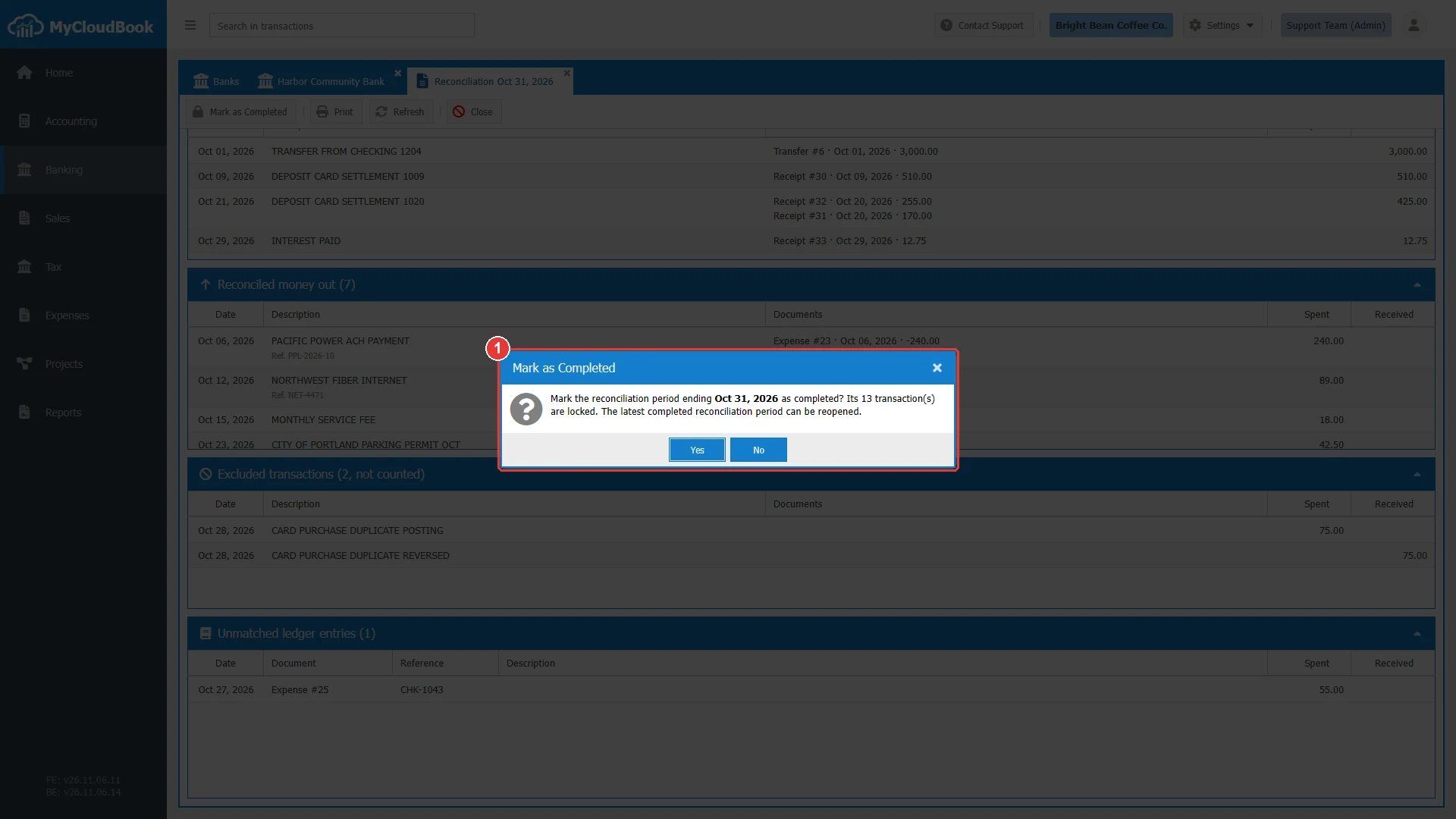
- 1The question with the end date and the number of lines.
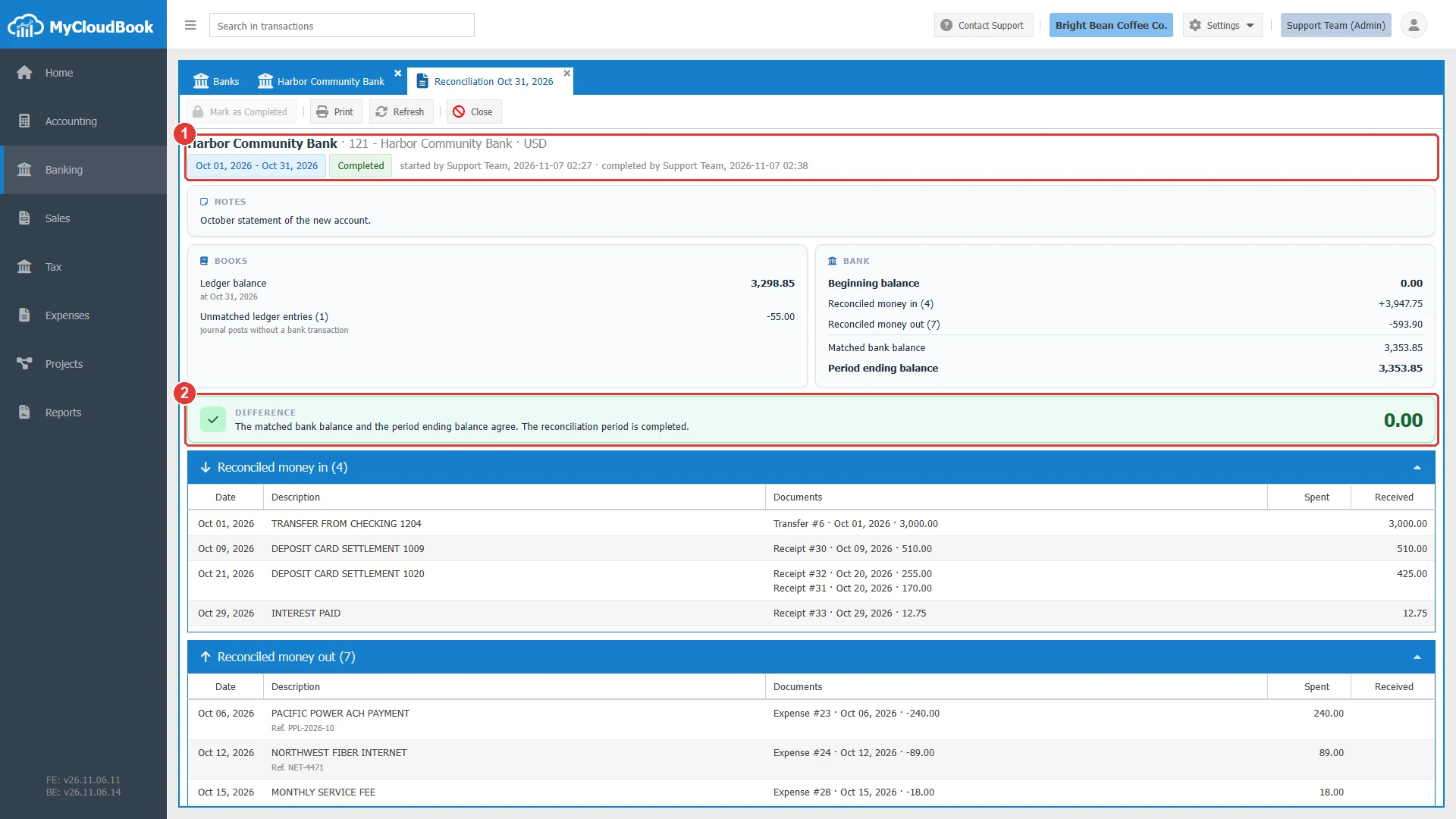
- 1The status Completed, and who started and who completed the period.
- 2The band says that the period is completed.
A completed period protects its lines. They cannot be changed, deleted, excluded, or unreconciled. Statement lines inside the period are skipped at the import. The start date and the opening balance of the bank are locked too.
Reopening a period
Only the latest completed period can be reopened. Open the row menu of the period, and click Reopen. The lines are unlocked, and they stay reconciled. To reopen an older period, reopen the later periods first.
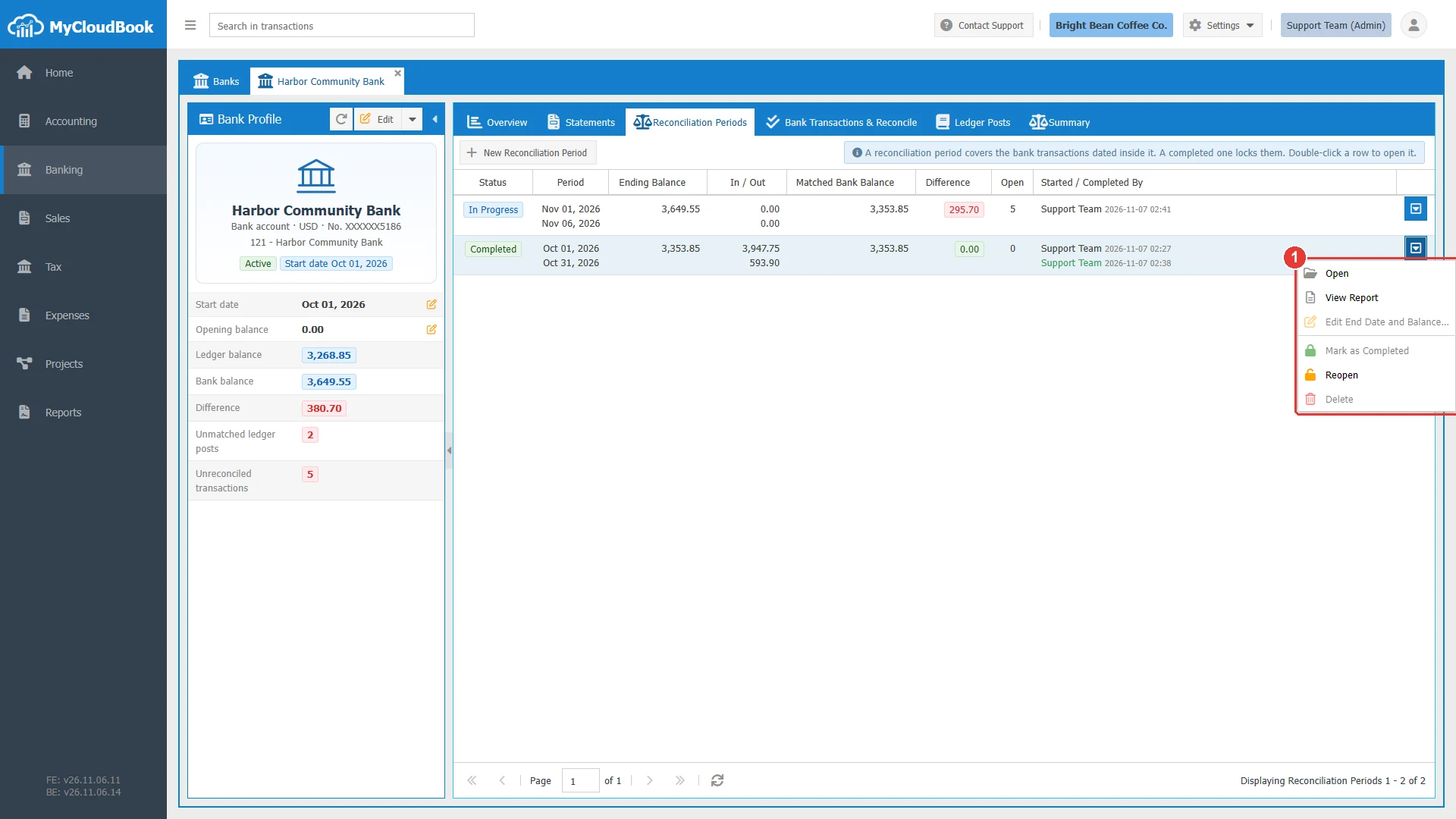
- 1The menu of the row.
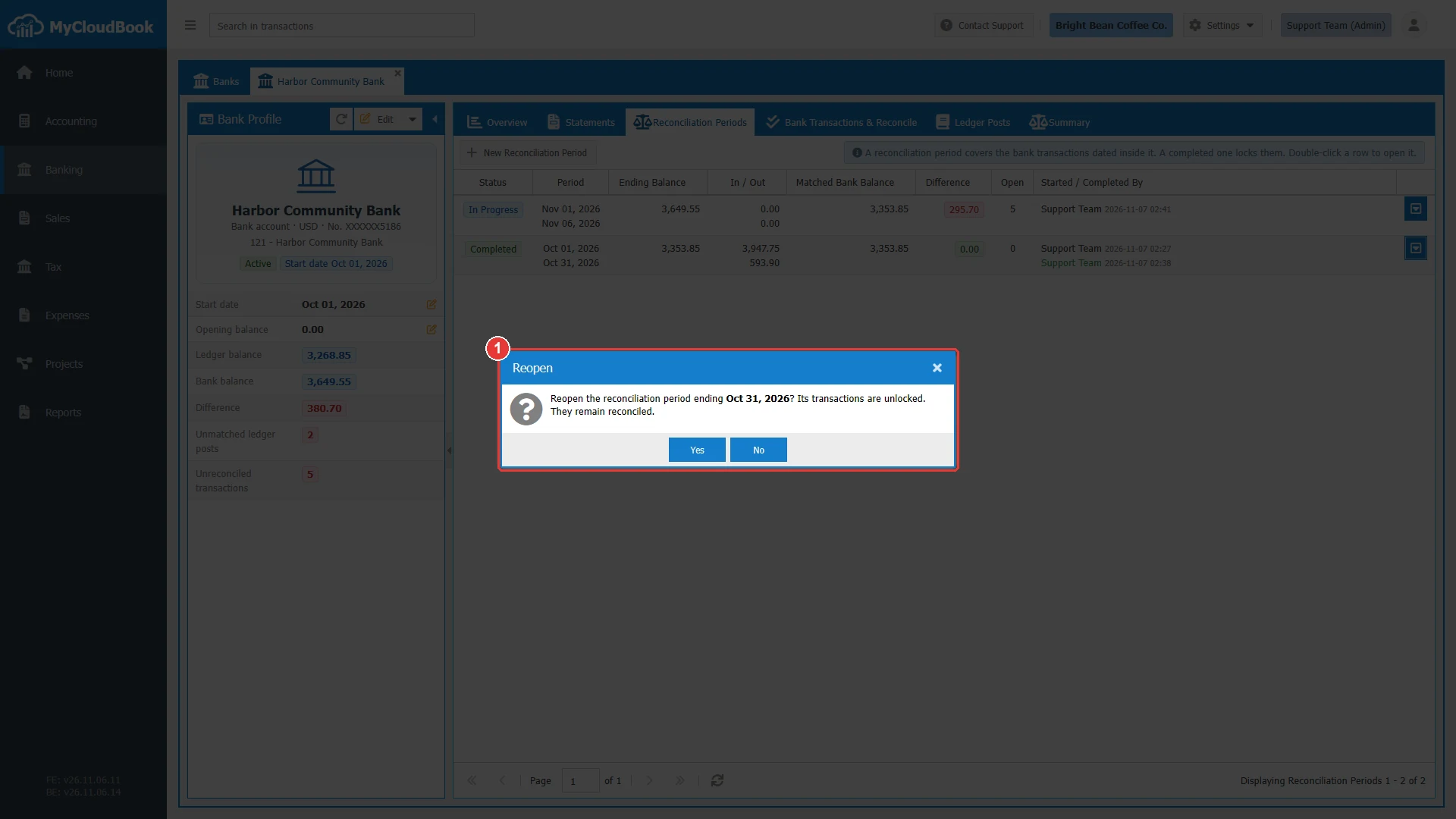
- 1The question.
Messages and their meaning
Questions and answers
What is a reconciliation period?
A range of bank transactions up to the end date of a statement, with the ending balance of the statement.
When can I complete a period?
When every line is reconciled or excluded, the Difference is 0.00, the books agree with the bank, and older periods are completed.
What does a completed period protect?
Its lines cannot be changed, deleted, excluded, or unreconciled. Statement lines inside the period are skipped at the import.
How do I correct a completed period?
Open the row menu of the latest completed period and click Reopen. Its lines are unlocked, and they stay reconciled.
How do I print the reconciliation?
Open the report with View Report, and click Print.