My Profile
This guide explains My Profile in MyCloudBook: the personal data of the signed in user and how to change it.
Overview
My Profile holds the personal data of the signed in user: the name, the country, the job title, and the phone number. The profile belongs to the user and not to a company. A user who works in several companies has one profile for all of them.
The email address is the sign in name of the user, so the window shows it as read-only. The password is changed in Change Password.
How to open the window
- In the top bar, click the round user icon at the right end, next to the name of the user.
- In the menu, click My Profile.
The user menu is shown to every user, whatever the role of the user.
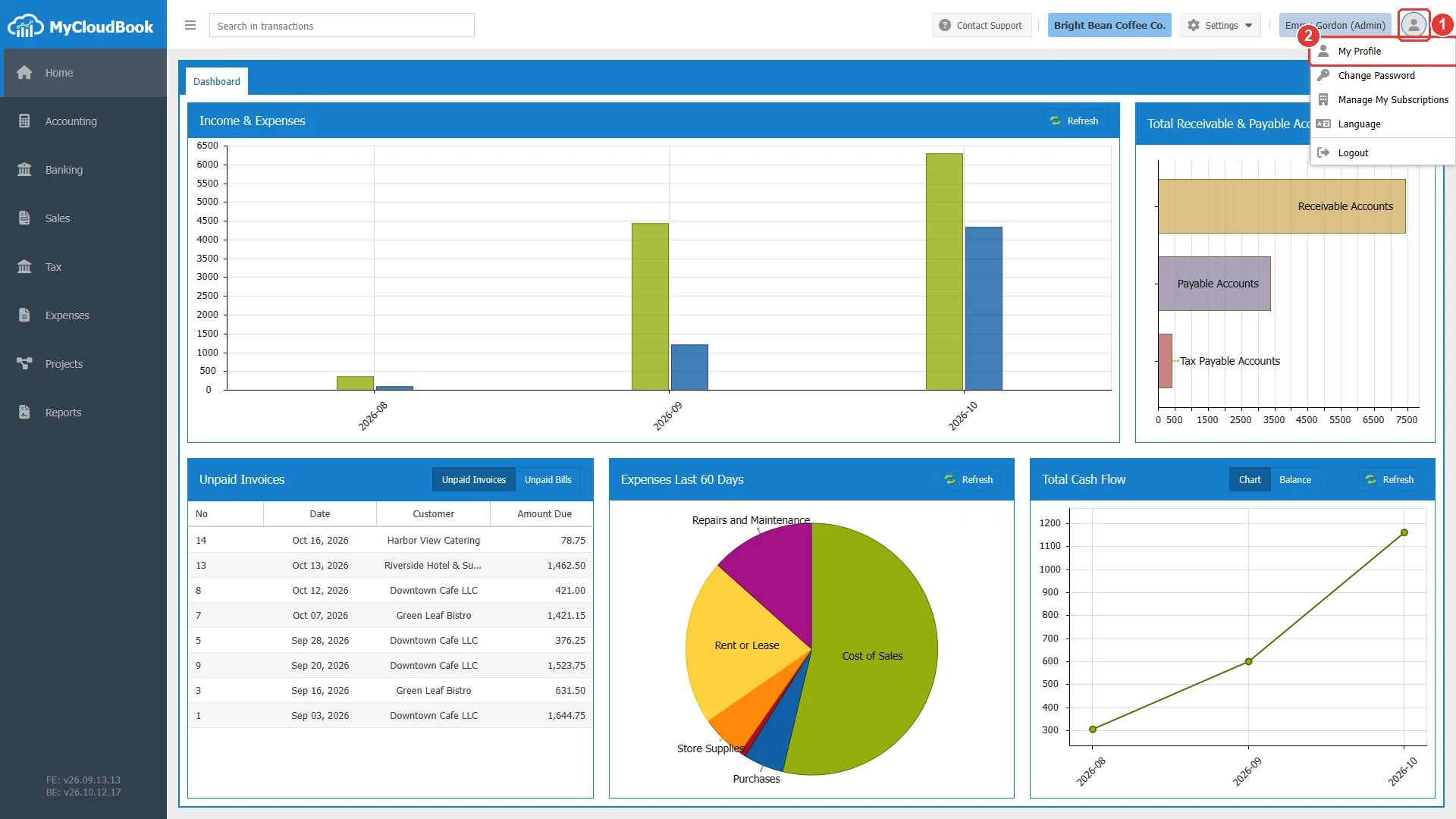
- 1The user icon. Opens the menu with My Profile, Change Password, Manage My Subscriptions, Language, and Logout.
- 2My Profile.
The window opens with the title Update Profile.
The Update Profile window
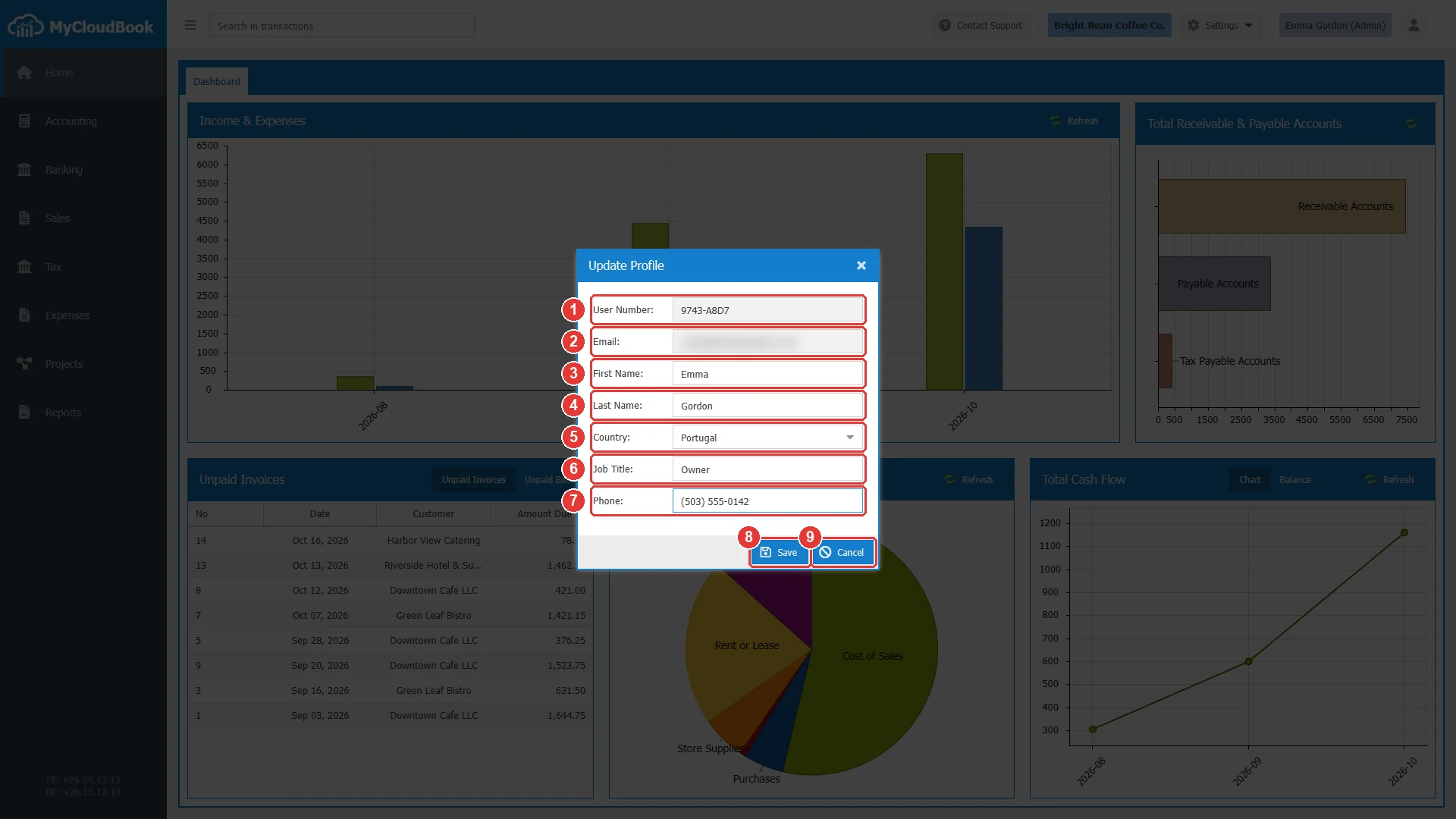
- 1User Number. The number of the user in MyCloudBook. It is read-only.
- 2Email. The sign in address of the user. It is read-only.
- 3First Name.
- 4Last Name.
- 5Country. A list of the countries.
- 6Job Title.
- 7Phone.
- 8Save.
- 9Cancel.
| Field | Required | Purpose and rules |
|---|---|---|
| User Number | Read-only | Assigned by MyCloudBook when the user signs up. |
| Read-only | The sign in name of the user. | |
| First Name | Required | The first name of the user. |
| Last Name | Required | The last name of the user. |
| Country | Required | The country of the user. Choose it from the list. |
| Job Title | Required | The role of the user in the company, for example Owner or Accountant. |
| Phone | Required | The phone number of the user. |
The window saves only when every field has a value. The marked fields are empty.
Saving the profile
- Change the values.
- Click Save. The window closes, and a confirmation appears at the top of the page.
Messages and their meaning
Questions and answers
How do I change my name in MyCloudBook?
Click the user icon in the top bar, then My Profile. Change the first and the last name, and click Save.
How do I change my email address?
Contact the support team. The email address is the sign in name of the user, so the support team changes it.
Is my profile the same in all my companies?
Yes. The profile belongs to the user, so every company of the user shows the same profile.
Why does the window not save?
Every field of the window must have a value. Fill in the fields that are marked in red.