Payment Methods
This guide explains the payment methods of MyCloudBook: the list that the payment documents offer, and how to add, rename, and delete a method.
Overview
A payment method tells how money was paid or received, for example in cash, by check, or by credit card. The documents that record a payment have a Payment Method field: sales receipts, receipt vouchers, refund vouchers, expenses, bill payments, and tax payments. The Payment Methods window holds the list of that field.
A new company starts with seven payment methods: Bank Deposit, Cash, Check, Credit Card, Debit Card, PayPal, and Western Union. The list can be changed at any time. A payment method is a label of the payment. The account of a payment is chosen on the document, for example in Deposit To, so one method works with every account.
How to open the window
- In the top bar, click Settings. The button is between the name of the company and the name of the user.
- In the menu, click Payment Methods.
The Settings menu is shown to the users with the Admin role. The other users do not see the menu.
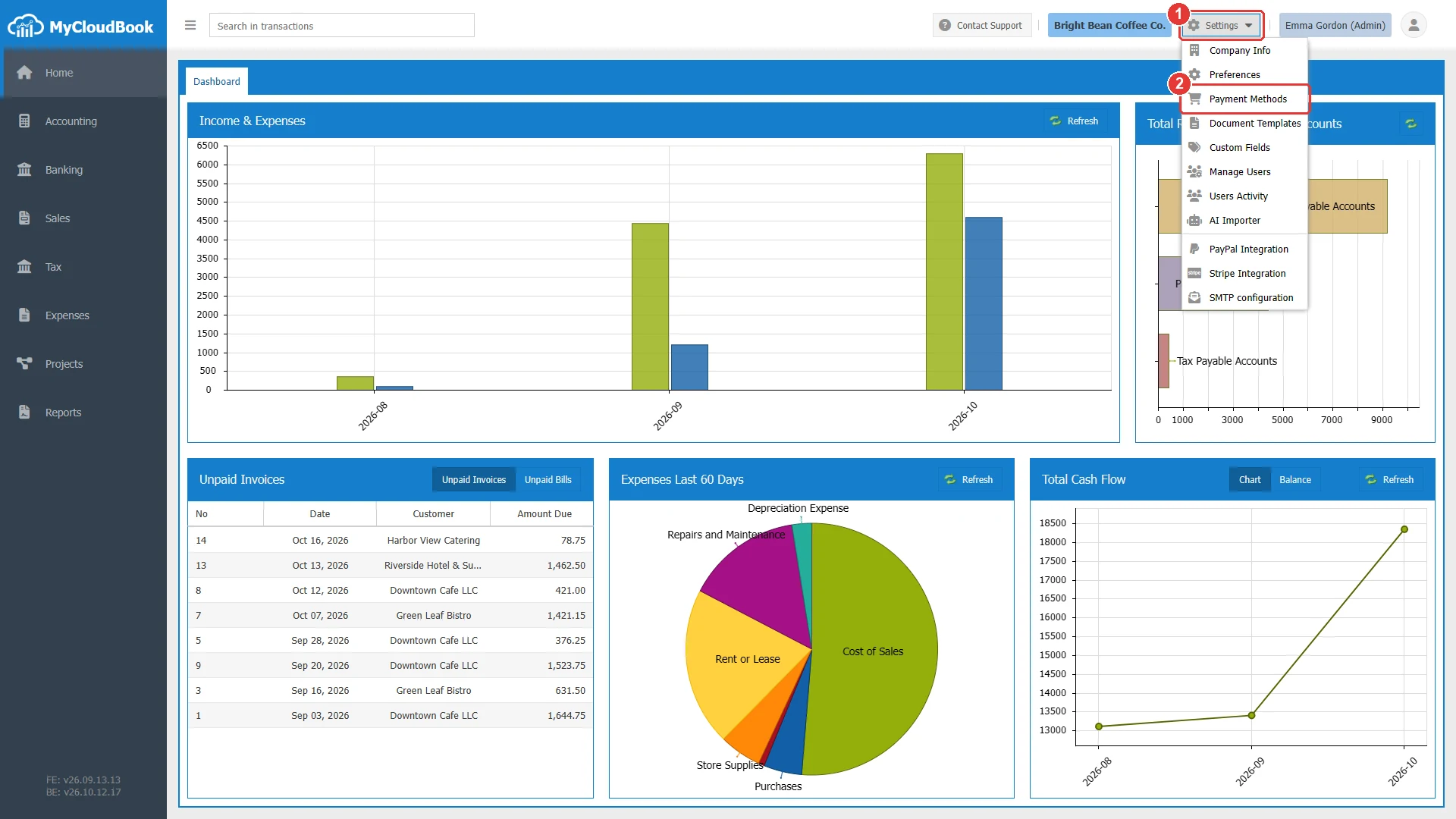
- 1Settings. Opens the menu of the company settings.
- 2Payment Methods.
The Payment Methods window
The window lists the payment methods of the company in the order of their names.
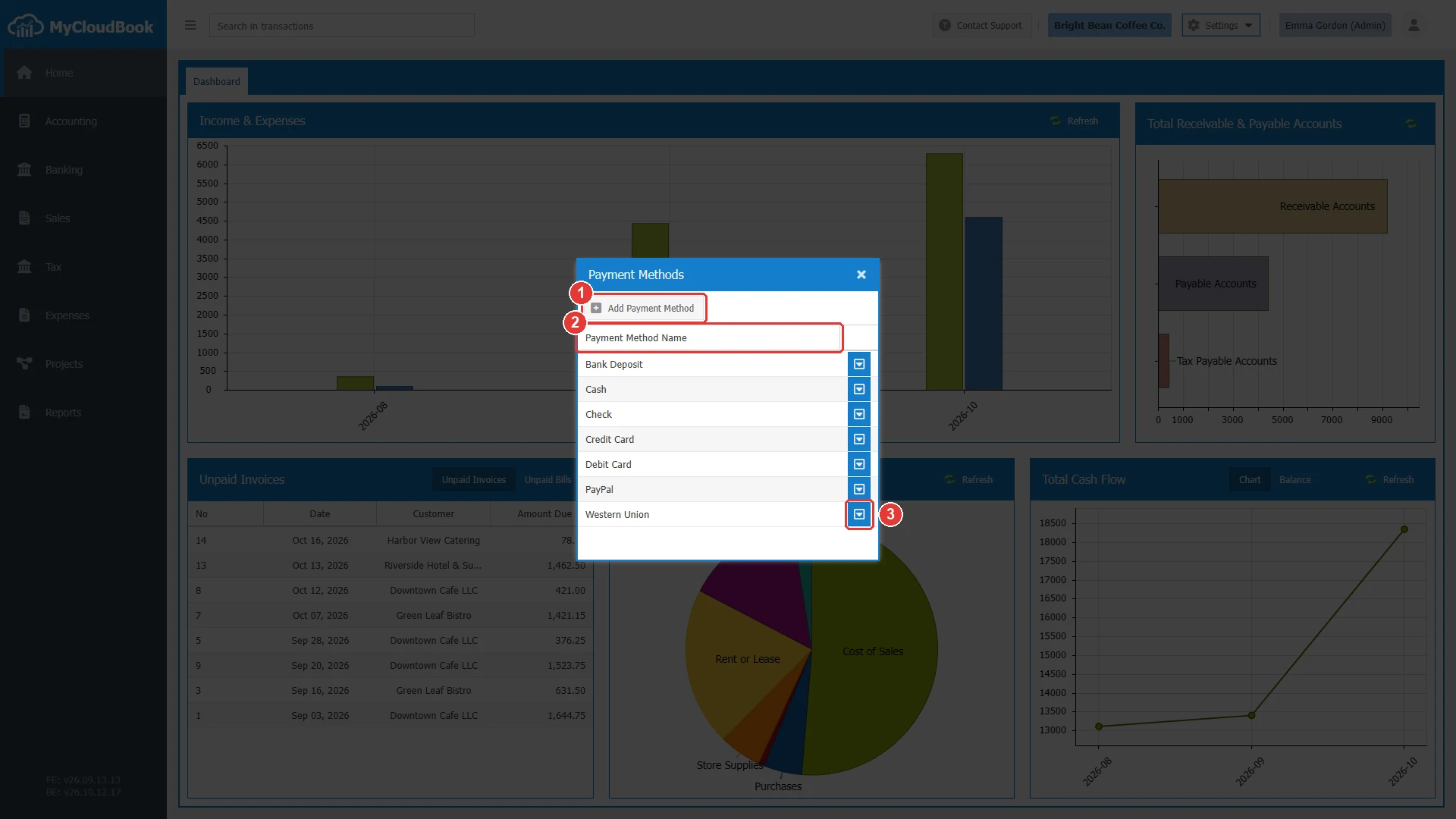
- 1Add Payment Method. Adds a method.
- 2Payment Method Name. The methods in the order of their names.
- 3The row actions button, with Rename and Delete. A double click on a row also opens the rename window.
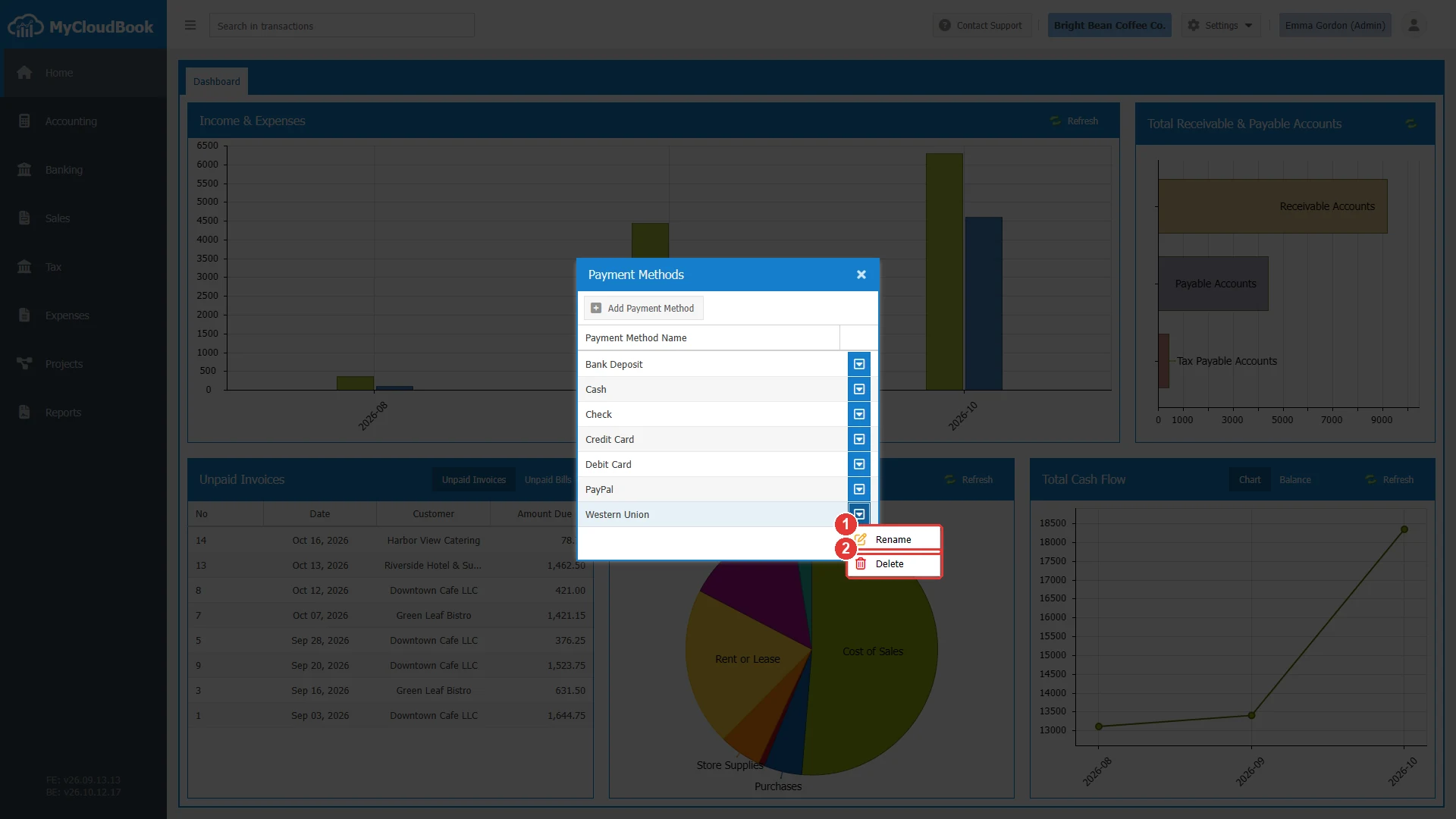
- 1Rename. Changes the name of the method.
- 2Delete. Deletes the method after a question.
Adding a payment method
- Click Add Payment Method.
- Type the Name, for example Bank Transfer.
- Click Save. The list shows the new method, and the documents offer it at once.
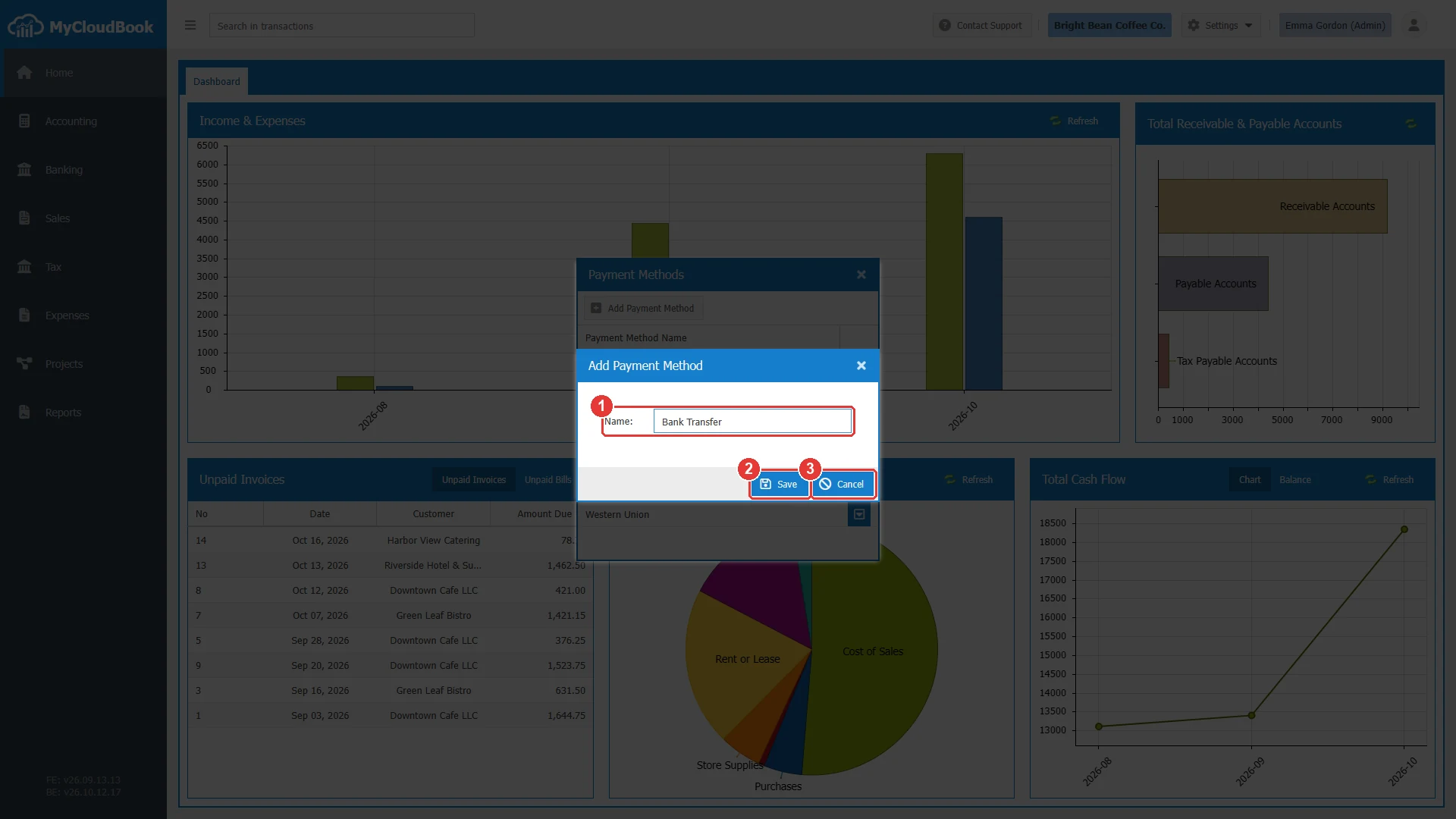
- 1Name. Required.
- 2Save.
- 3Cancel.
| Field | Required | Purpose and rules |
|---|---|---|
| Name | Required | The name that the documents show, up to 255 characters. Use a name that differs from the other methods, so the users can tell them apart. |
Renaming a payment method
- Open the row actions menu of the method and click Rename, or double click the row.
- Change the Name and click Save.
The new name appears on every document that uses the method, also on the saved documents. The documents keep a link to the method and not a copy of its name.
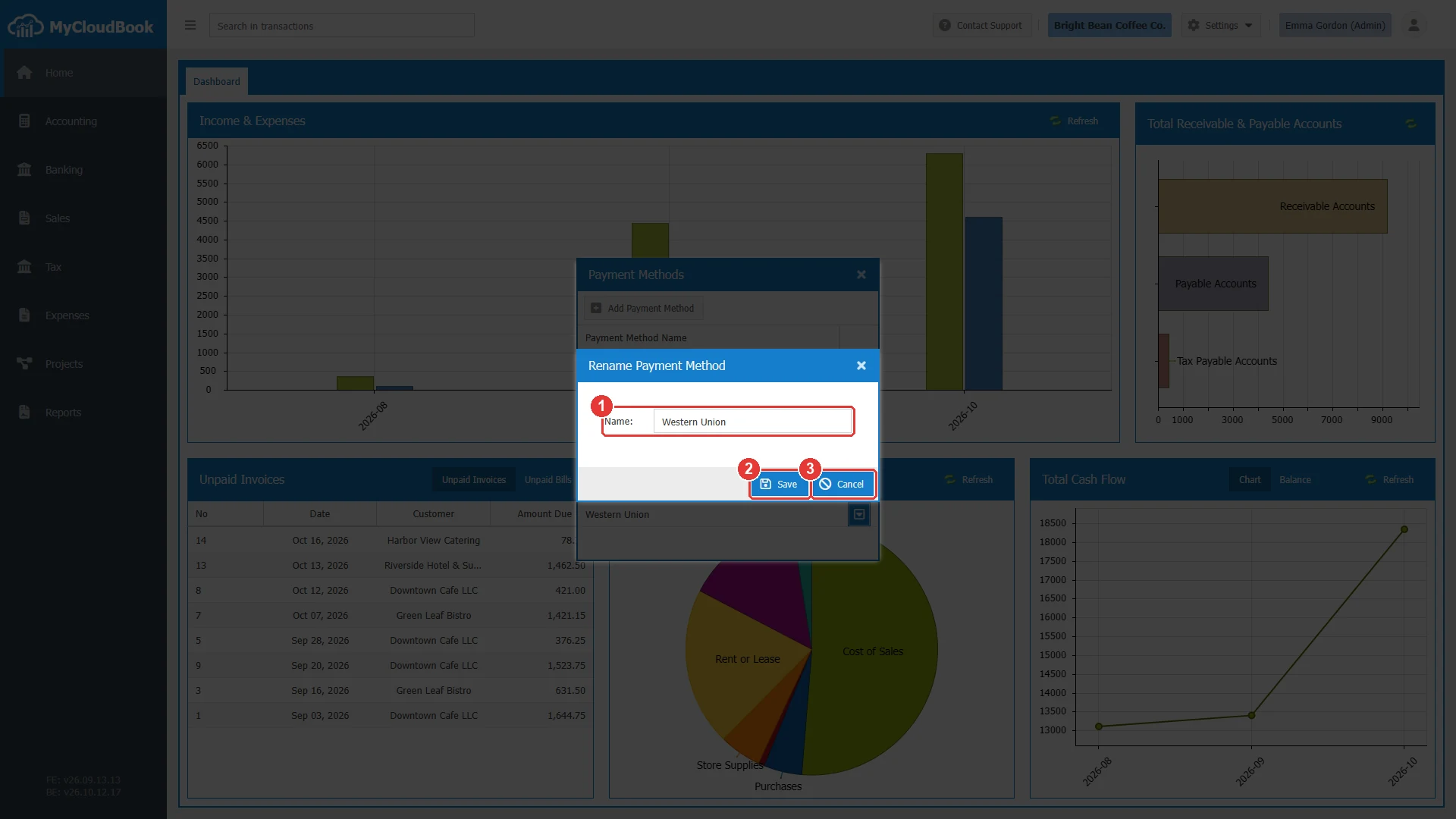
- 1Name.
- 2Save.
- 3Cancel.
Deleting a payment method
- Open the row actions menu of the method and click Delete.
- Answer the question with Yes.
MyCloudBook keeps a method that a saved document uses, so the saved documents keep their method. In this case, a message explains the reason. Rename the method when its name changes.
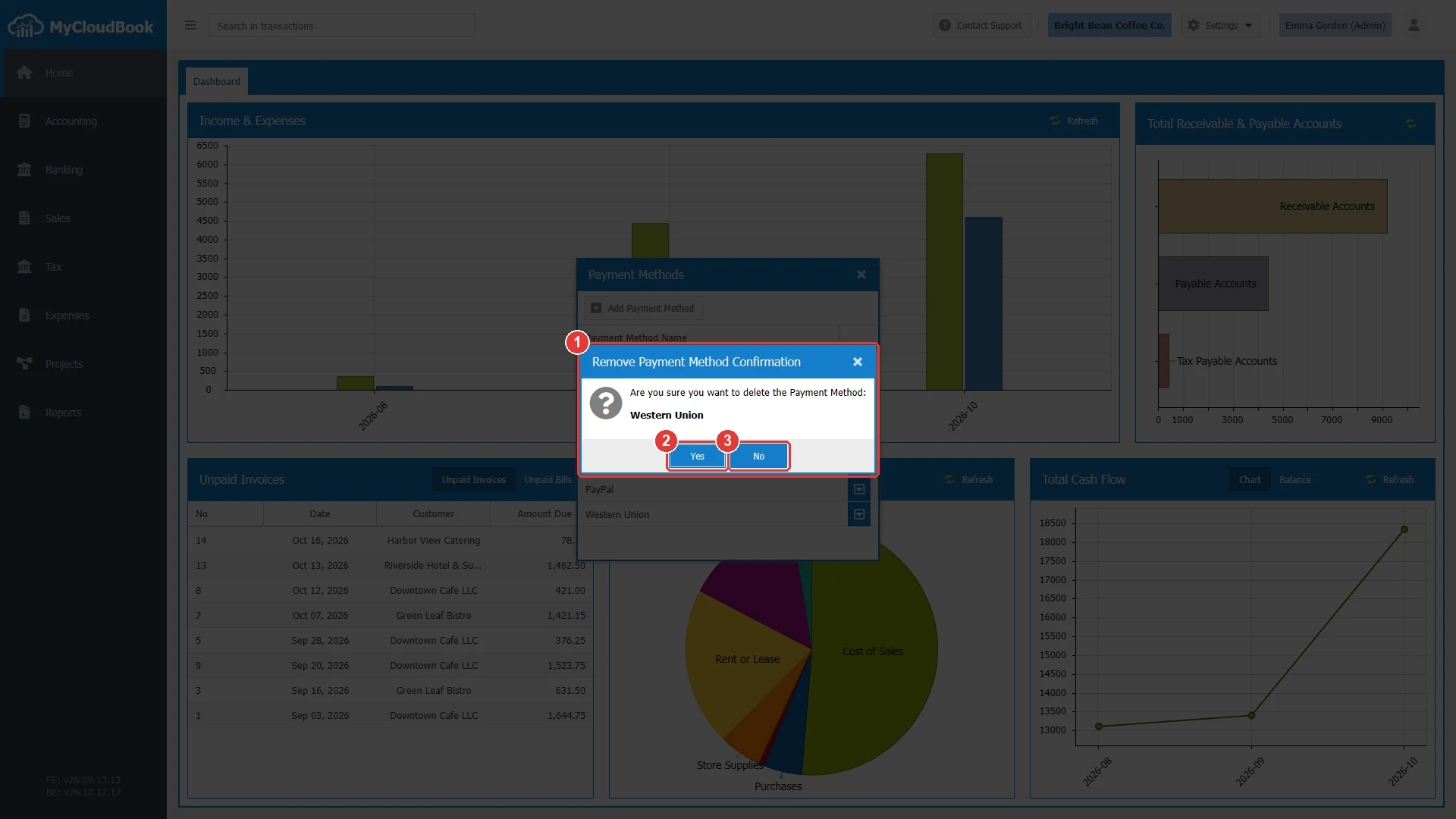
- 1The question with the name of the method.
- 2Yes. Deletes the method.
- 3No. Keeps the method.
The payment method on the documents
The Payment Method field of a document lists the methods of this window. The example shows a new sales receipt. The Stripe Integration also uses one of the methods for the payments that customers make online.
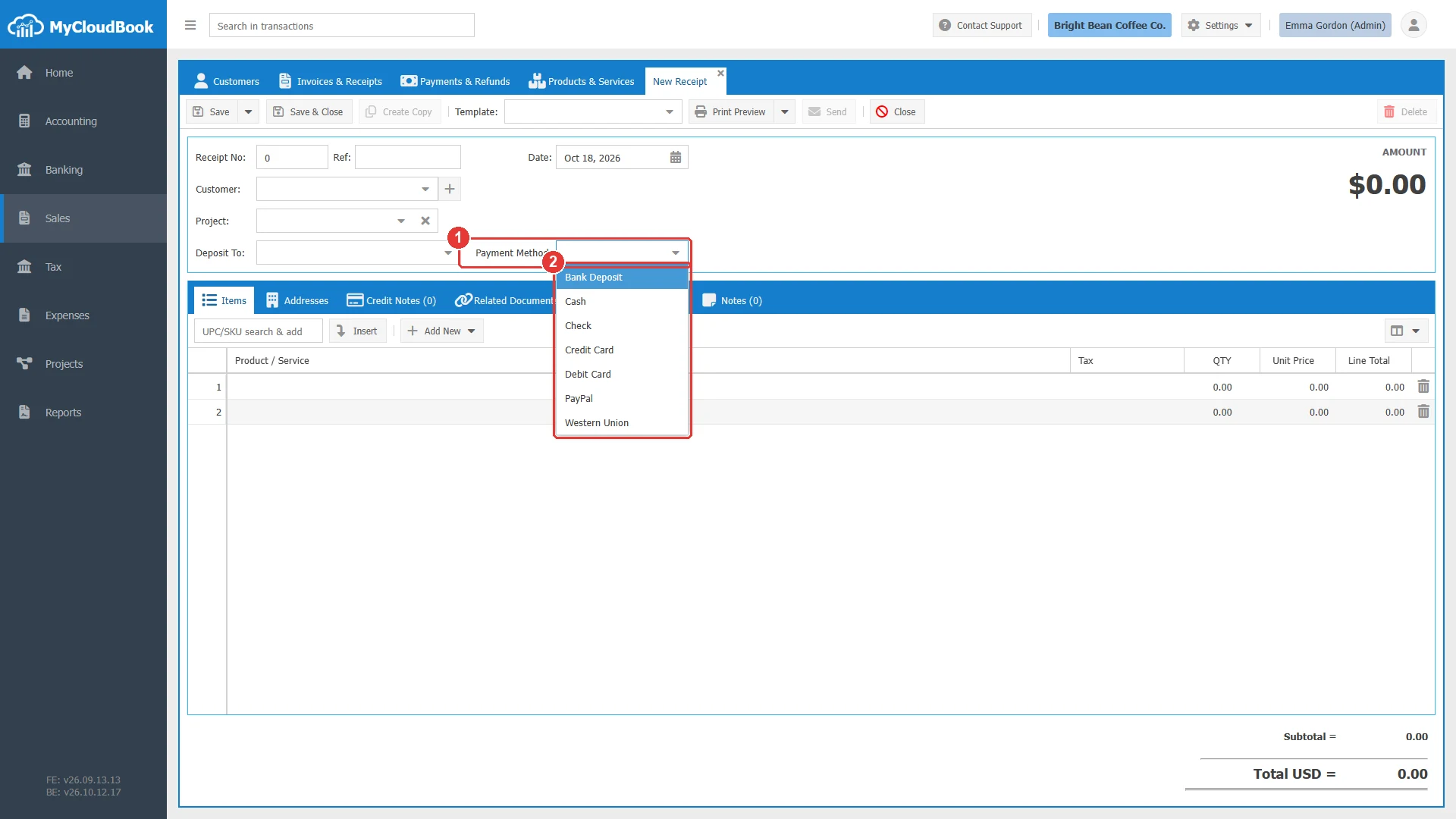
- 1Payment Method.
- 2The payment methods of the company.
Messages and their meaning
Questions and answers
Which payment methods does a new company have?
Bank Deposit, Cash, Check, Credit Card, Debit Card, PayPal, and Western Union. The list can be changed in Settings, Payment Methods.
Which account does a payment use?
The account that is chosen on the document, for example in the Deposit To field of a receipt. The payment method is a label of the payment, so one method works with every account.
What happens to a payment method that documents use?
MyCloudBook keeps it, so the saved documents keep their method. Rename it when its name changes.
Does a new name change the saved documents?
Yes. The documents show the current name of the method, so the saved documents also show the new name.