Currencies
This guide explains the currencies of a multi-currency company in MyCloudBook: how to turn the feature on, how to add a currency and set its exchange rate, and when a currency can be removed.
Overview
A company keeps its books in its main currency. The main currency is chosen when the company is created. A multi-currency company can also use other currencies. For example, it can keep a bank account in euros and record the invoices of a customer in Europe in euros.
The Currencies Setting window lists the currencies of the company. Each added currency has a symbol and an exchange rate: the number of units of the currency that equal one unit of the main currency. In the example, 1 USD = 0.92 EUR. When a user creates a document in that currency, the rate of the document starts with this rate. The user can change the rate on each document, and the document keeps its own rate.
The window is available only in a multi-currency company. The Currencies item appears in the Settings menu after Allow Multi-Currency is turned on in Preferences.
Turning on multi-currency
- In the top bar, click Settings, then Preferences.
- In the General tab, check Allow Multi-Currency in the Features group.
- Click Save, then Yes. The application reloads, and the Settings menu shows Currencies.
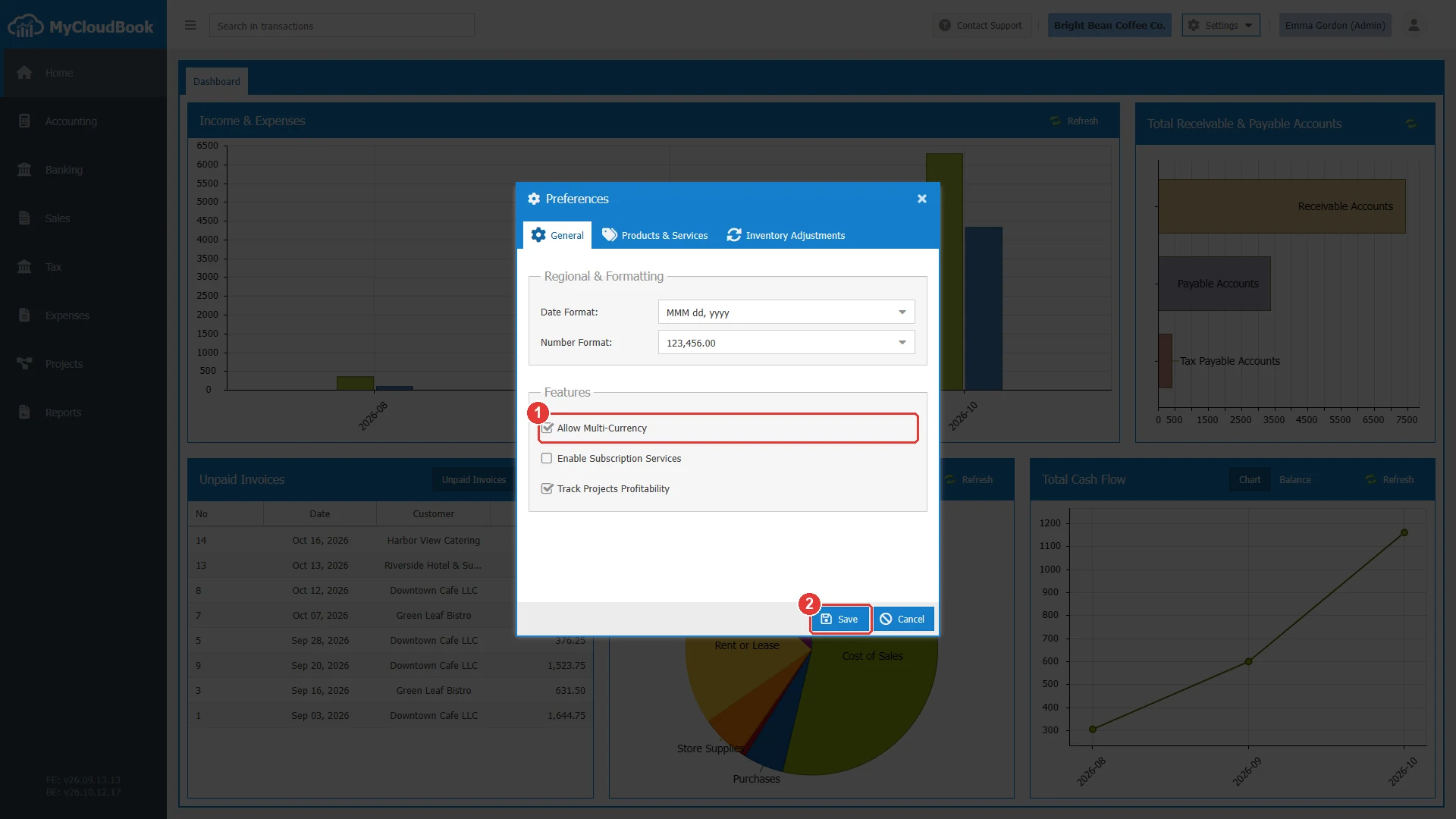
- 1Allow Multi-Currency, checked.
- 2Save. Asks for a confirmation and reloads the page.
How to open the window
- In the top bar, click Settings. The button is between the name of the company and the name of the user.
- In the menu, click Currencies. The window opens with the title Currencies Setting.
The Settings menu is shown to the users with the Admin role. The other users do not see the menu.
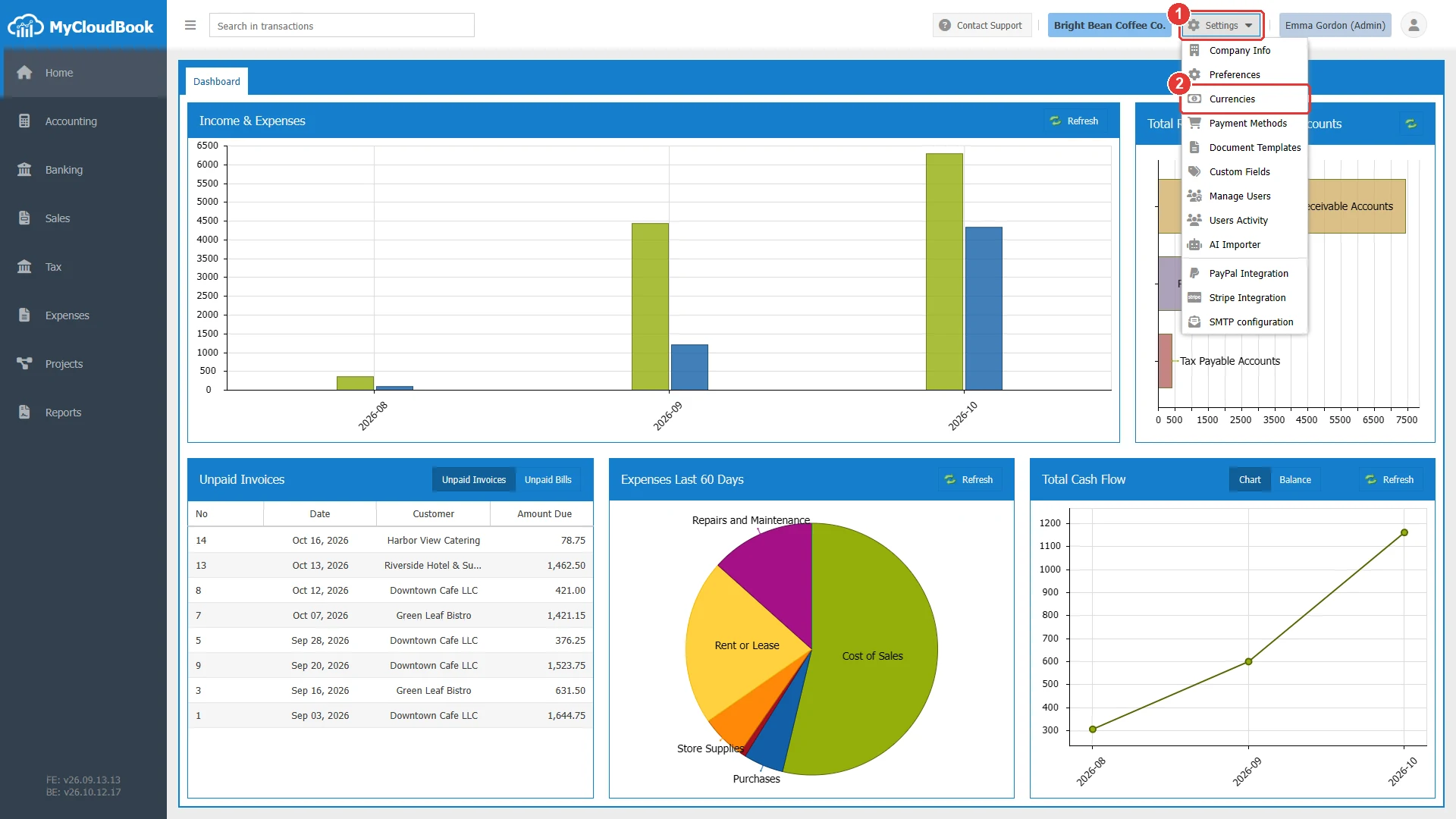
- 1Settings. Opens the menu of the company settings.
- 2Currencies.
The Currencies Setting window
The list shows one row for each currency of the company. The main currency is the row with the yellow background and the word (Main). Click a row to select it. The buttons Set Rate/Symbol and Remove act on the selected row.
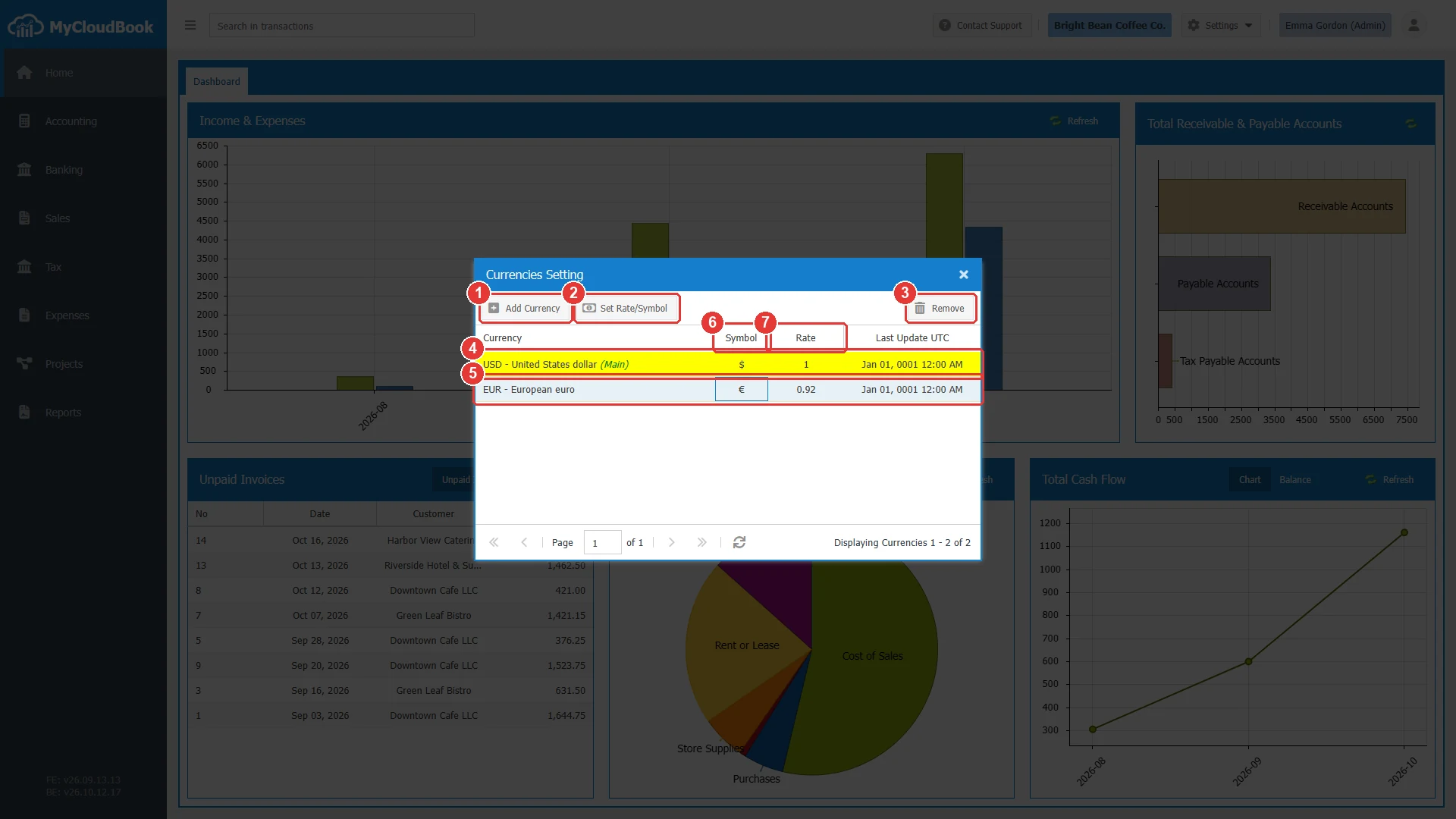
- 1Add Currency. Adds a currency.
- 2Set Rate/Symbol. Changes the symbol and the rate of the selected currency. Enabled after a row is selected.
- 3Remove. Removes the selected currency. Disabled for the main currency.
- 4The main currency, with (Main) after its name. Its rate is always 1.
- 5An added currency, selected. Here EUR - European euro.
- 6Symbol. The symbol of the currency on the documents, for example $ or €.
- 7Rate. The number of units of the currency for one unit of the main currency.
Adding a currency
- Click Add Currency.
- In Currency, type a part of the code or of the name, for example eur, and click the currency in the list.
- Check the Currency Symbol. MyCloudBook fills it from the currency, for example €.
- Type the rate: the number of units of the new currency for one unit of the main currency.
- Click Save.
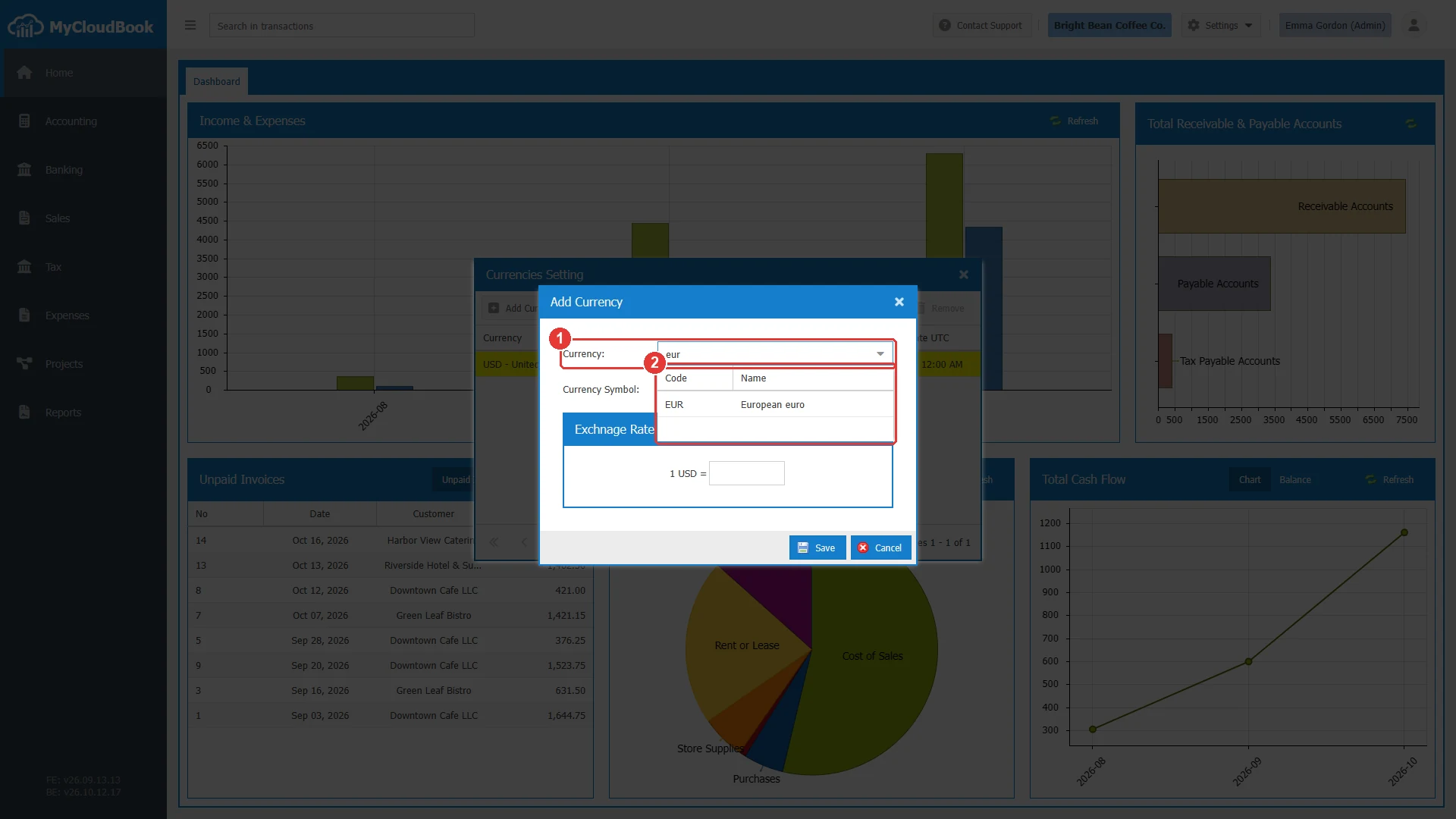
- 1Currency, with the typed text.
- 2The currencies whose code or name contains the text, with the columns Code and Name.
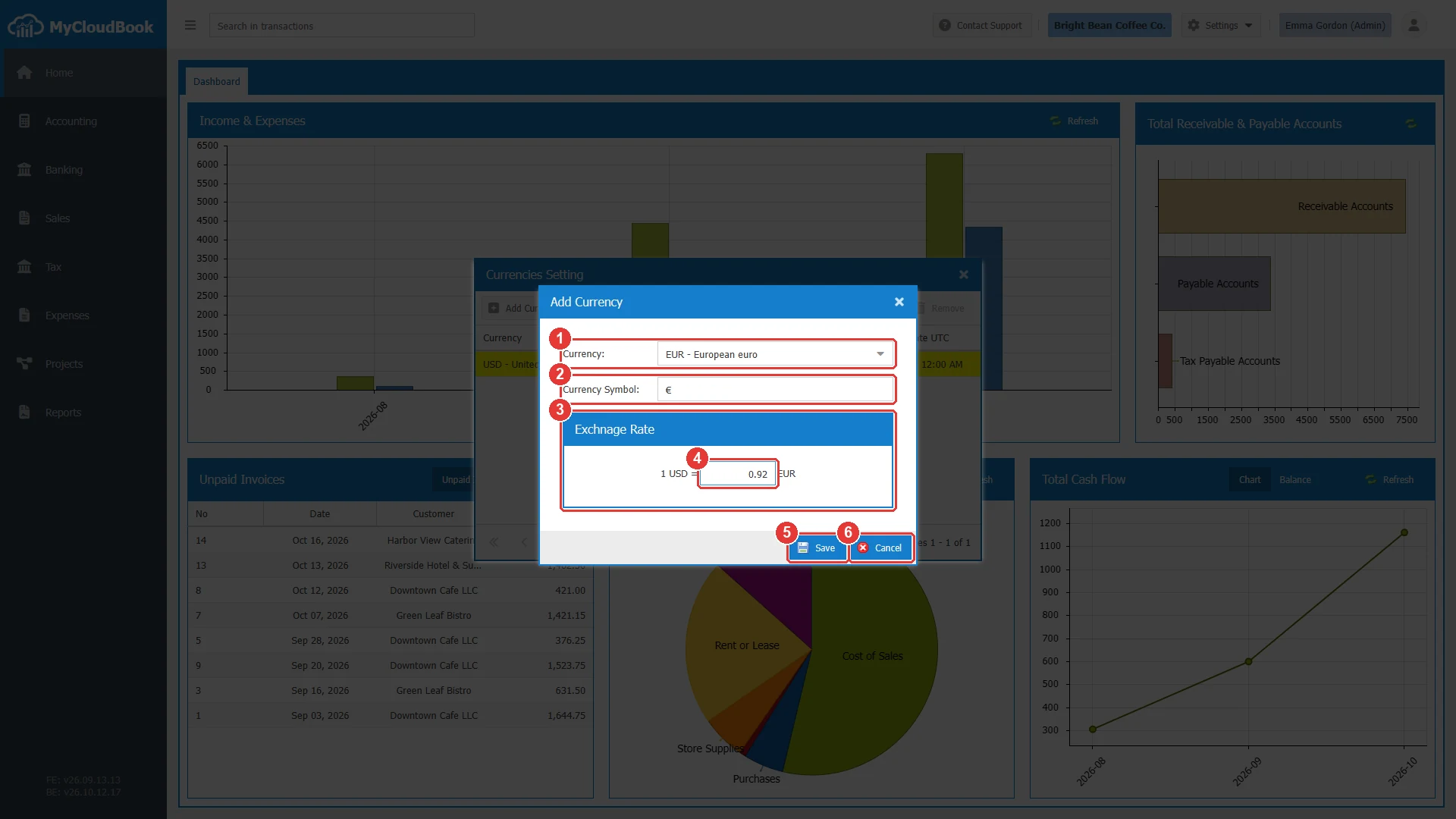
- 1Currency. Required.
- 2Currency Symbol. Required.
- 3The exchange rate. It reads 1 USD = rate EUR, with the main currency on the left.
- 4The rate. Here 0.92.
- 5Save.
- 6Cancel.
| Field | Required | Purpose and rules |
|---|---|---|
| Currency | Required | A currency of the international list of currency codes. A currency can be added only once. |
| Currency Symbol | Required | Up to 10 characters. The documents show the symbol next to the amounts. |
| Rate | Required | The number of units of the currency for one unit of the main currency, with up to 6 decimals. The rate of the main currency is always 1. |
The accounts of a new currency
When a currency is added, MyCloudBook creates two system accounts for it. They are Accounts Receivable - CODE under Assets and Accounts Payable - CODE under Liabilities. CODE is the code of the currency. The invoices and the bills in that currency use these accounts. See Chart of Accounts.
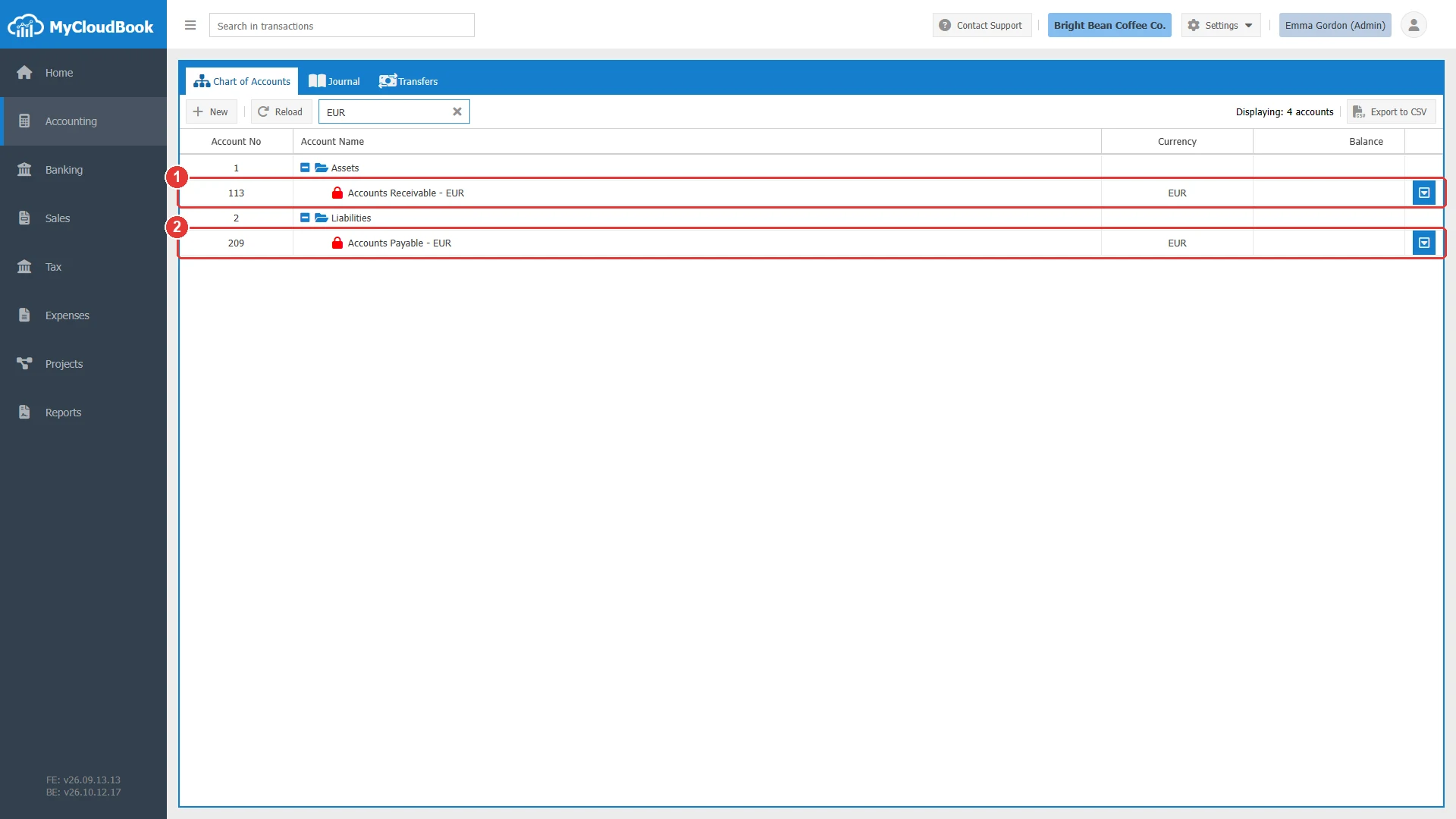
- 1Accounts Receivable - EUR, a system account under Assets, in the currency EUR.
- 2Accounts Payable - EUR, a system account under Liabilities, in the currency EUR.
Changing the rate or the symbol
- Click the row of the currency.
- Click Set Rate/Symbol. The window Set Currency Exchange Rate opens.
- Change the Currency Symbol or the rate, and click Save.
The new rate is the starting rate of the next documents in that currency. The saved documents keep their own rate.
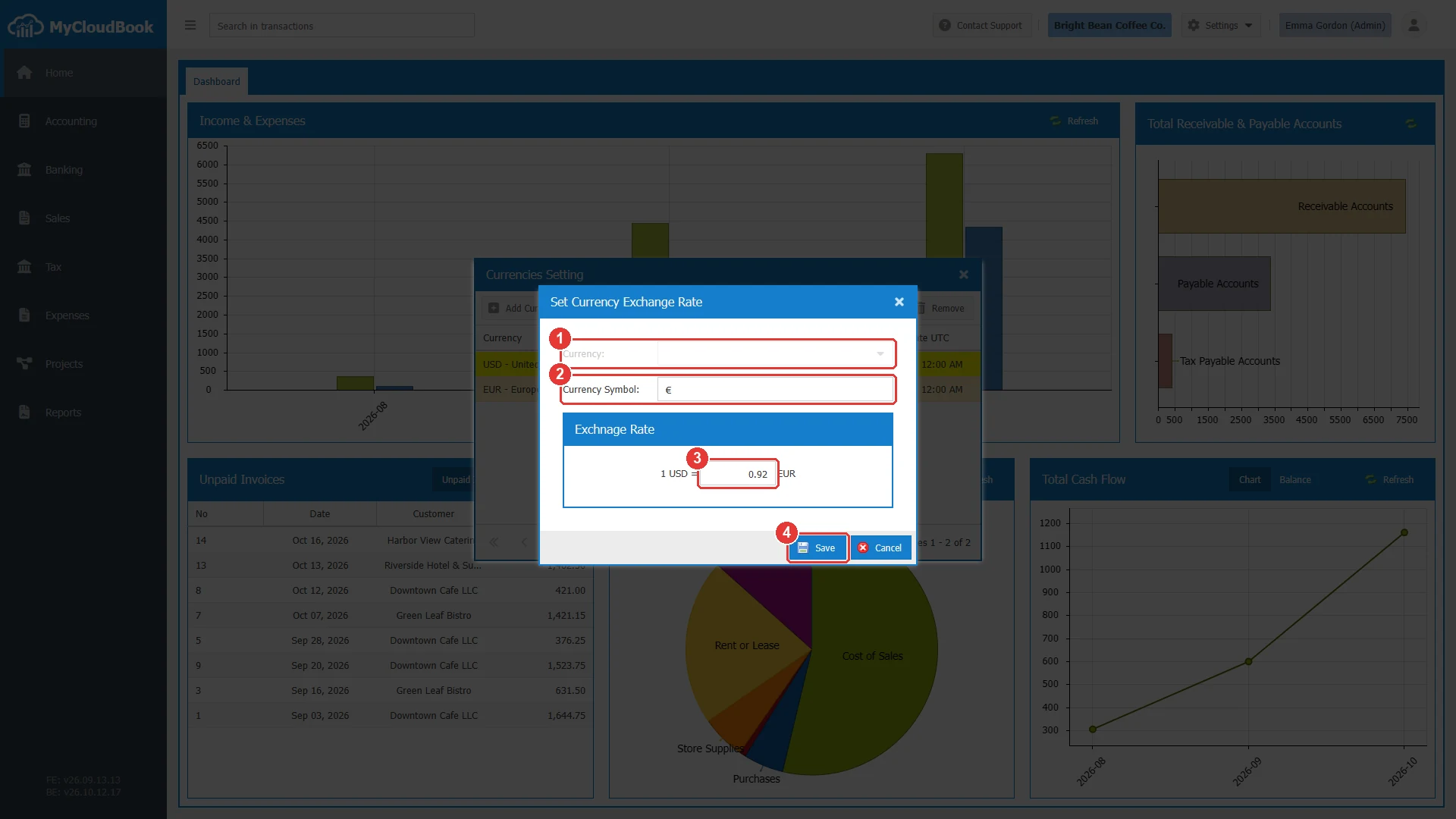
- 1Currency. Read-only.
- 2Currency Symbol.
- 3The rate.
- 4Save.
The same window opens for the main currency. Only its symbol can change, because its rate is always 1.
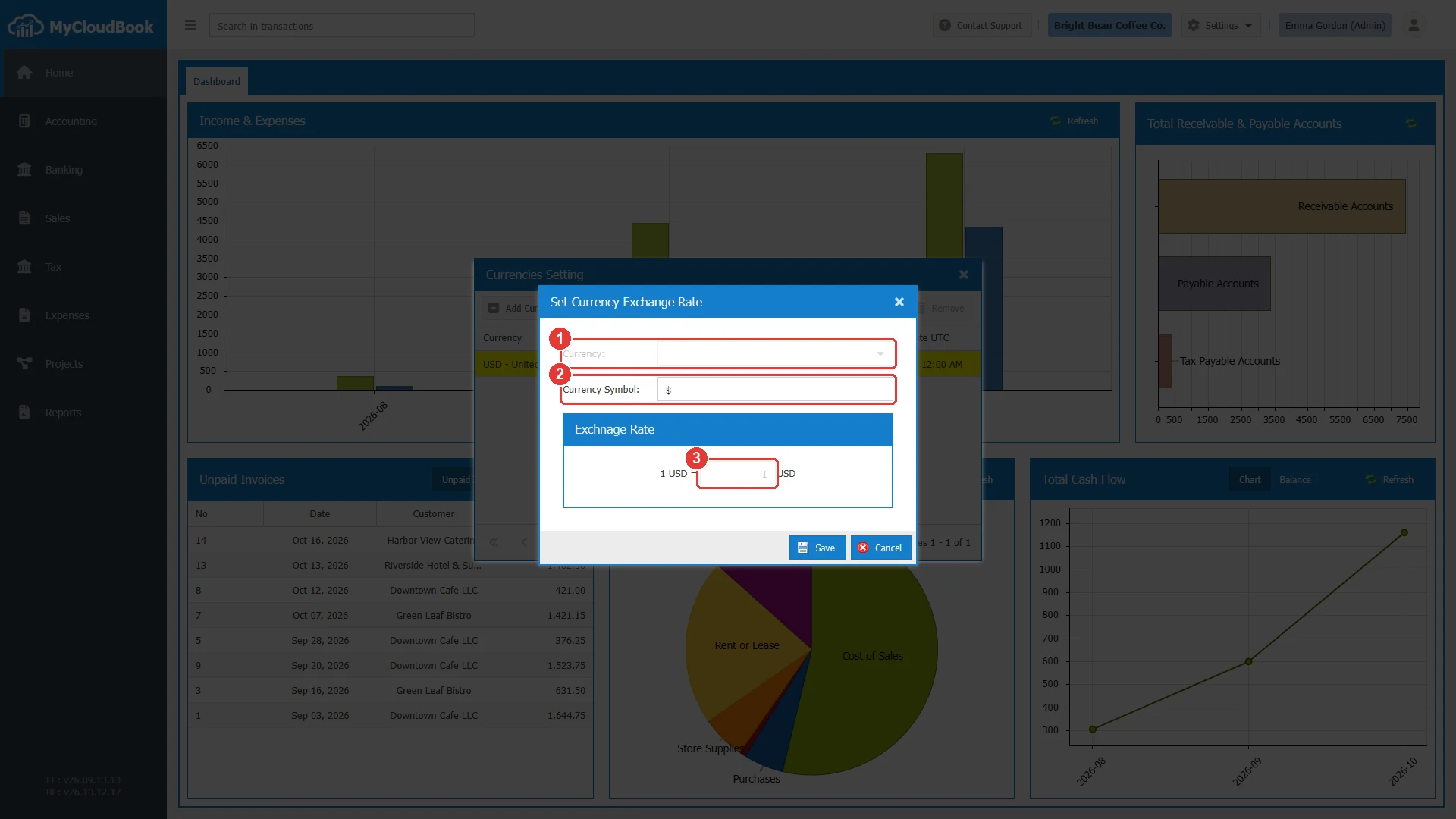
- 1The main currency.
- 2Currency Symbol. It can change.
- 3The rate, always 1 and disabled.
Removing a currency
- Click the row of the currency.
- Click Remove.
- Answer the question with Yes.
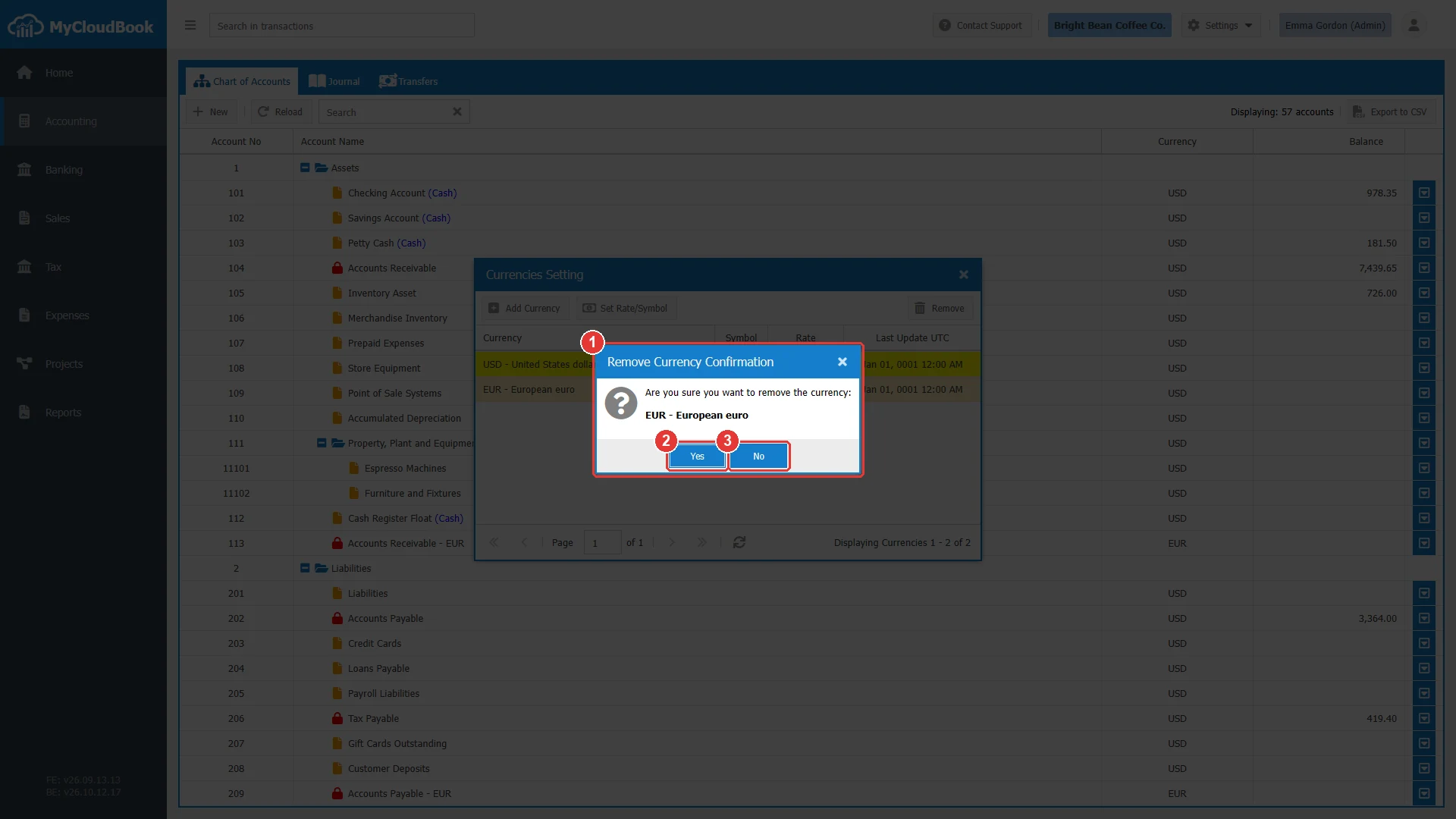
- 1The question with the code and the name of the currency.
- 2Yes. Removes the currency.
- 3No. Keeps the currency.
| Rule | Explanation |
|---|---|
| The main currency always stays. | The Remove button is disabled for the main currency, because it is the currency of the books. |
| A currency that an account uses stays. | When an account that a user created has the currency, MyCloudBook keeps the currency and shows a message. Delete the account first, or keep the currency. |
| A currency that a document uses stays. | When a document uses the currency, MyCloudBook keeps the currency and shows a message, so the document keeps its amounts. |
| The removal also deletes the two system accounts. | Accounts Receivable - CODE and Accounts Payable - CODE are deleted with the currency. |
When only the main currency is left, Allow Multi-Currency can be turned off again in Preferences.
Messages and their meaning
Questions and answers
How do I add a currency in MyCloudBook?
Turn on Allow Multi-Currency in Settings, Preferences. Then open Settings, Currencies, click Add Currency, choose the currency, check the symbol, type the rate, and save.
What does the rate mean?
The rate is the number of units of the currency for one unit of the main currency. With the main currency USD, the rate 0.92 for EUR means 1 USD = 0.92 EUR.
Does a new rate change my saved documents?
No. Each document keeps the rate that it was saved with. The new rate is the starting rate of the next documents in that currency.
Where is the main currency of a company set?
When the company is created. It is the currency of the books. The other currencies are added in Settings, Currencies, after Allow Multi-Currency is turned on in Preferences.
When can I remove a currency?
When no account and no document uses it. The main currency always stays, because it is the currency of the books.